
Feature-Rich Excel-like Spreadsheet Library for the Web
Formula engine, xlsx I/O, Canvas rendering, and React/Vue wrappers — all in one 68KB package. Zero dependencies. Built in Japan with 10+ years of .NET spreadsheet expertise.
Powerful features, ready to use
Everything you need to build production-grade spreadsheet UIs — from basic grids to complex data applications.
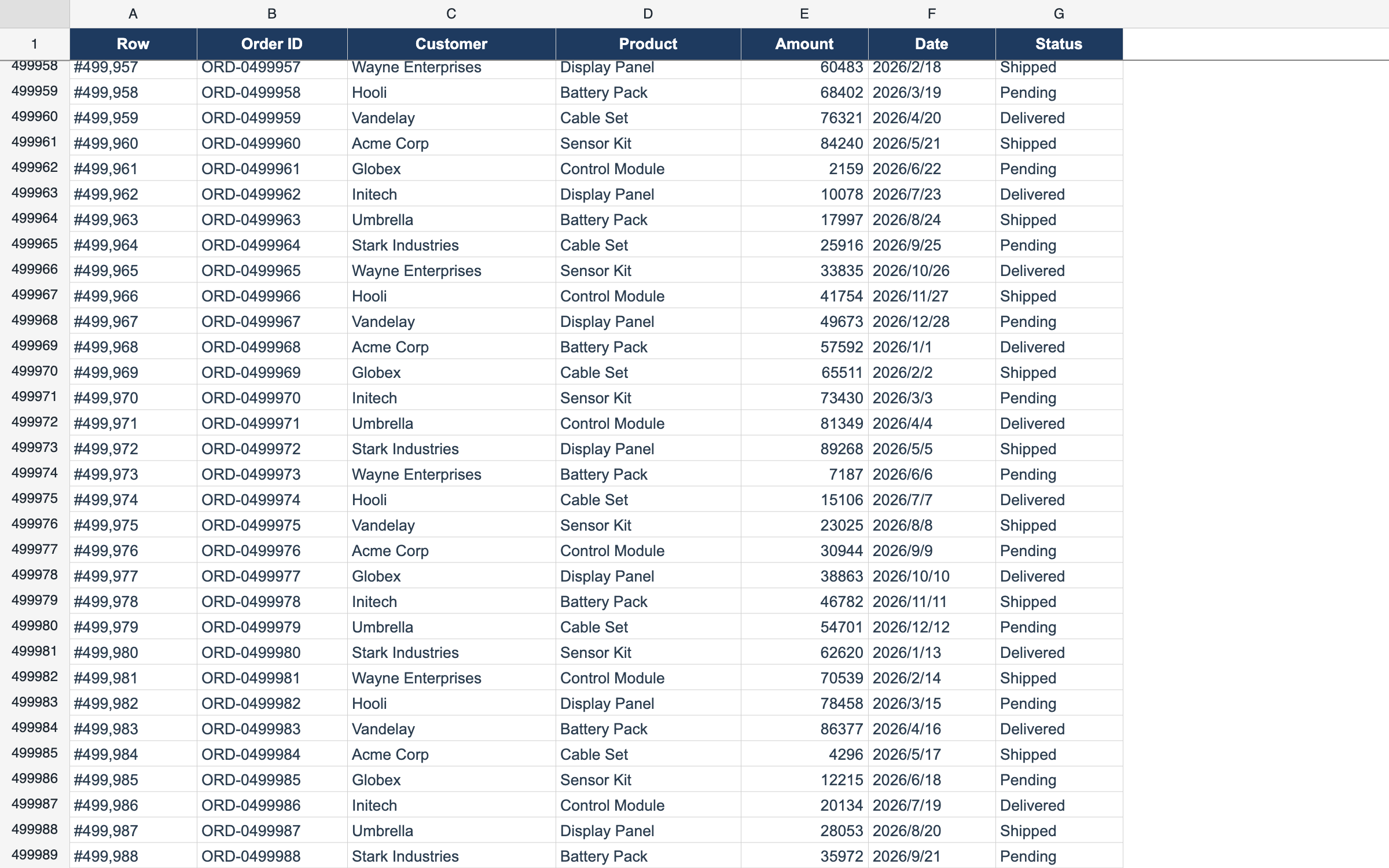
Delay Load — 1,000,000 Rows
ProDisplay 1,000,000 rows by fetching only what’s on screen.
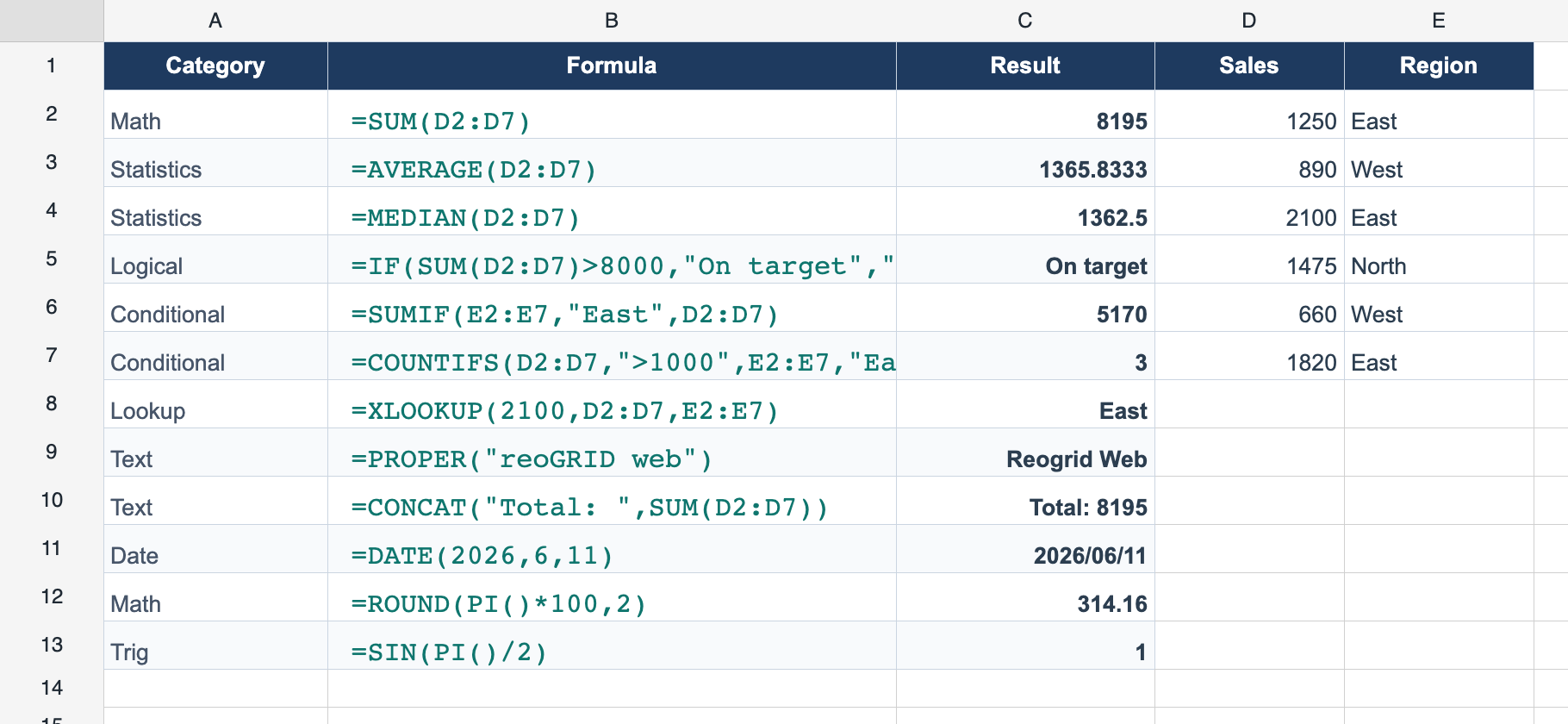
109 Built-in Functions
ProVLOOKUP, SUMIFS, XLOOKUP and 100+ Excel-compatible functions.
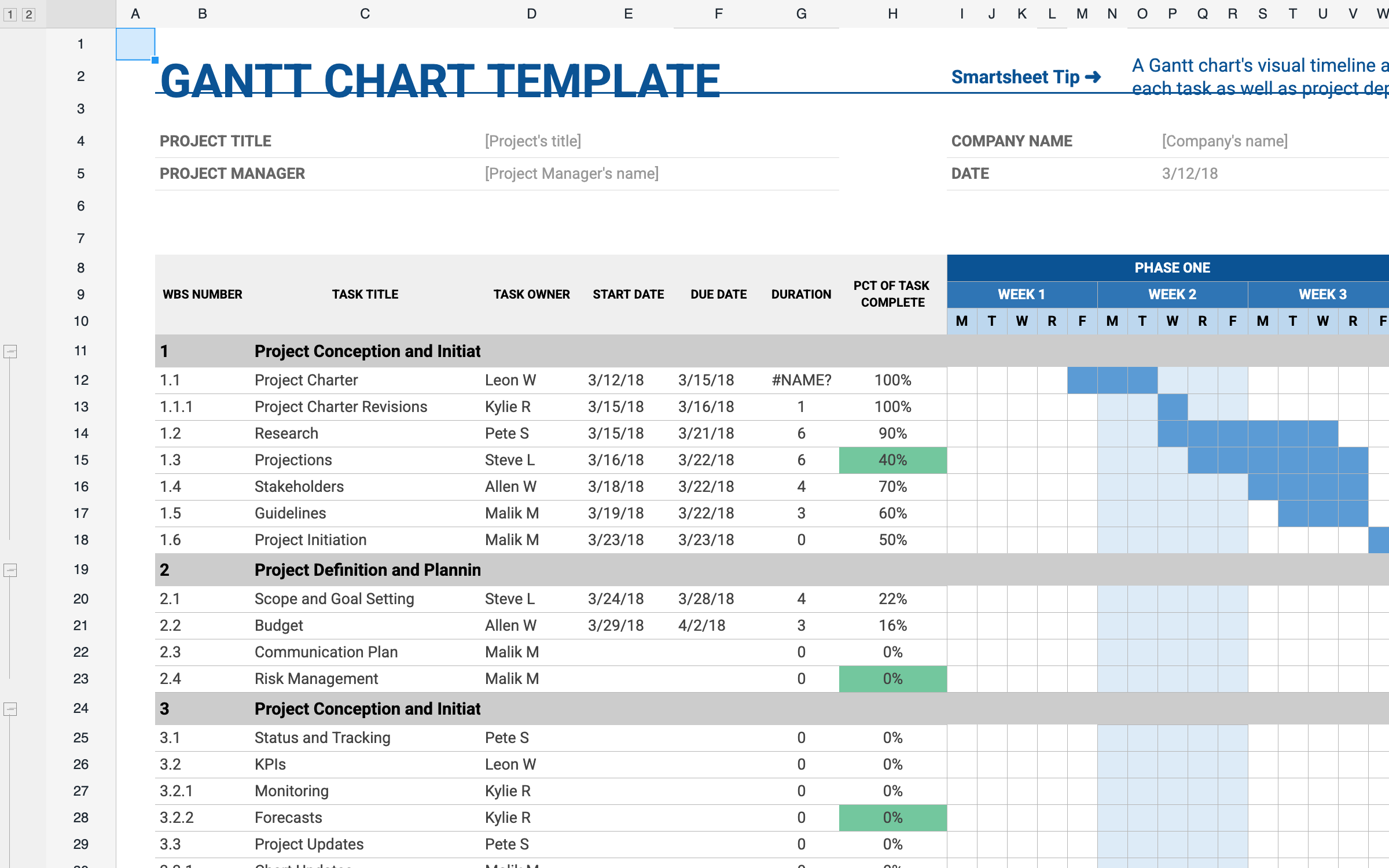
XLSX Import
LiteOpen real .xlsx files in the browser — styles, merges, and formulas intact.
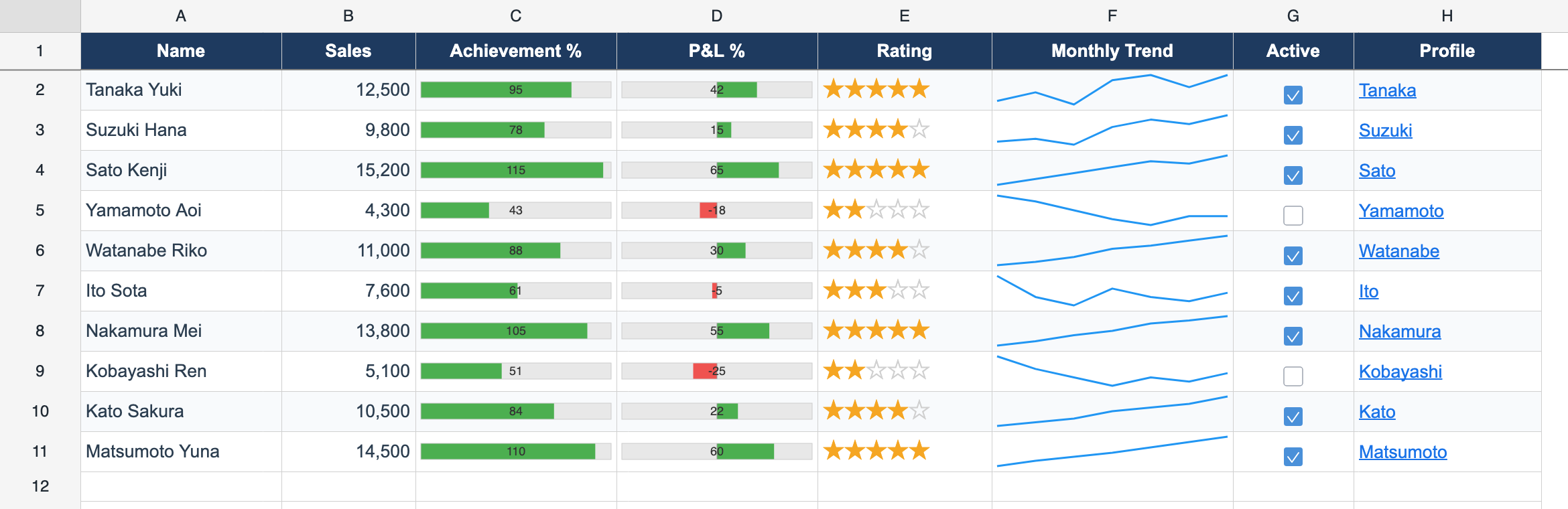
Cell Types
ProCheckboxes, dropdowns, progress bars, and sparklines inside cells.
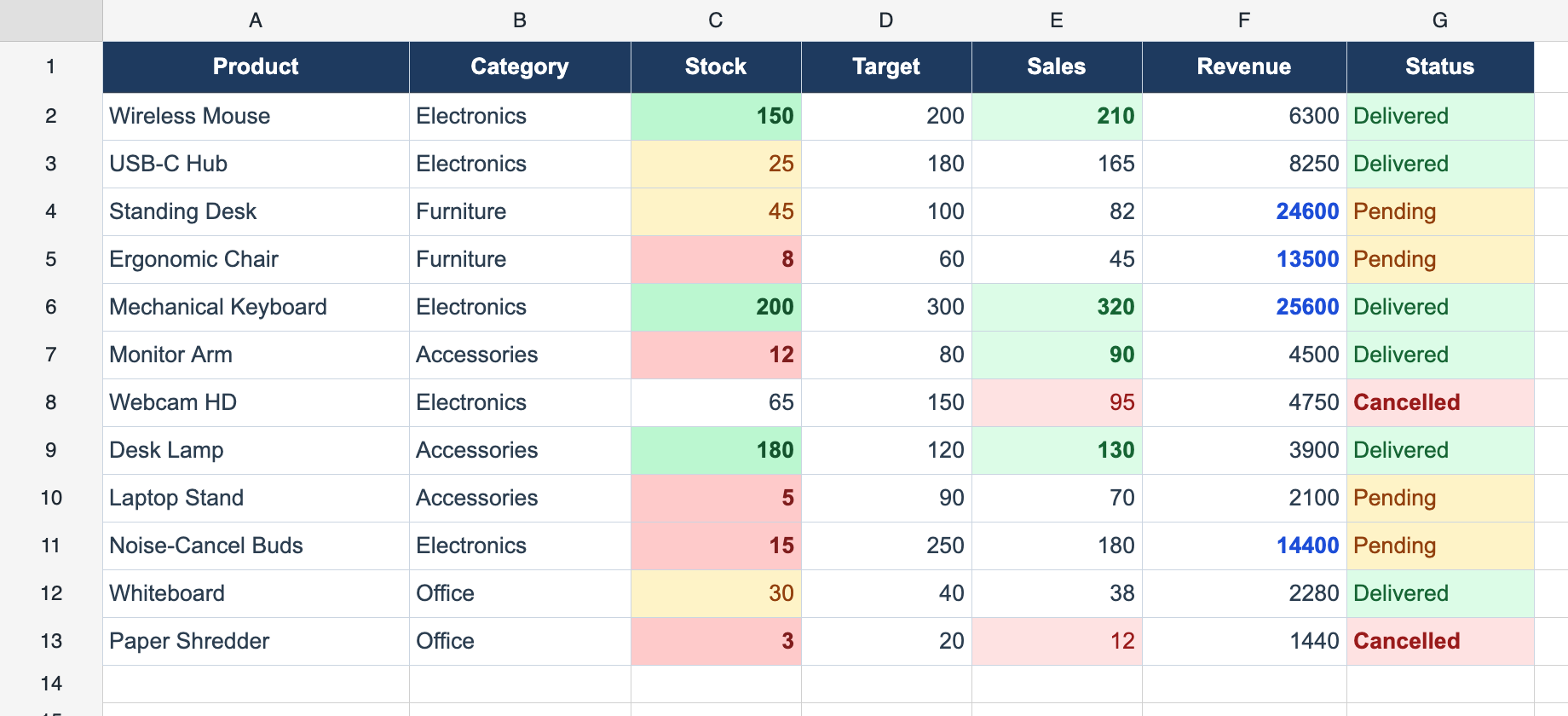
Conditional Formatting
ProRestyle cells live with value, expression, and text rules.
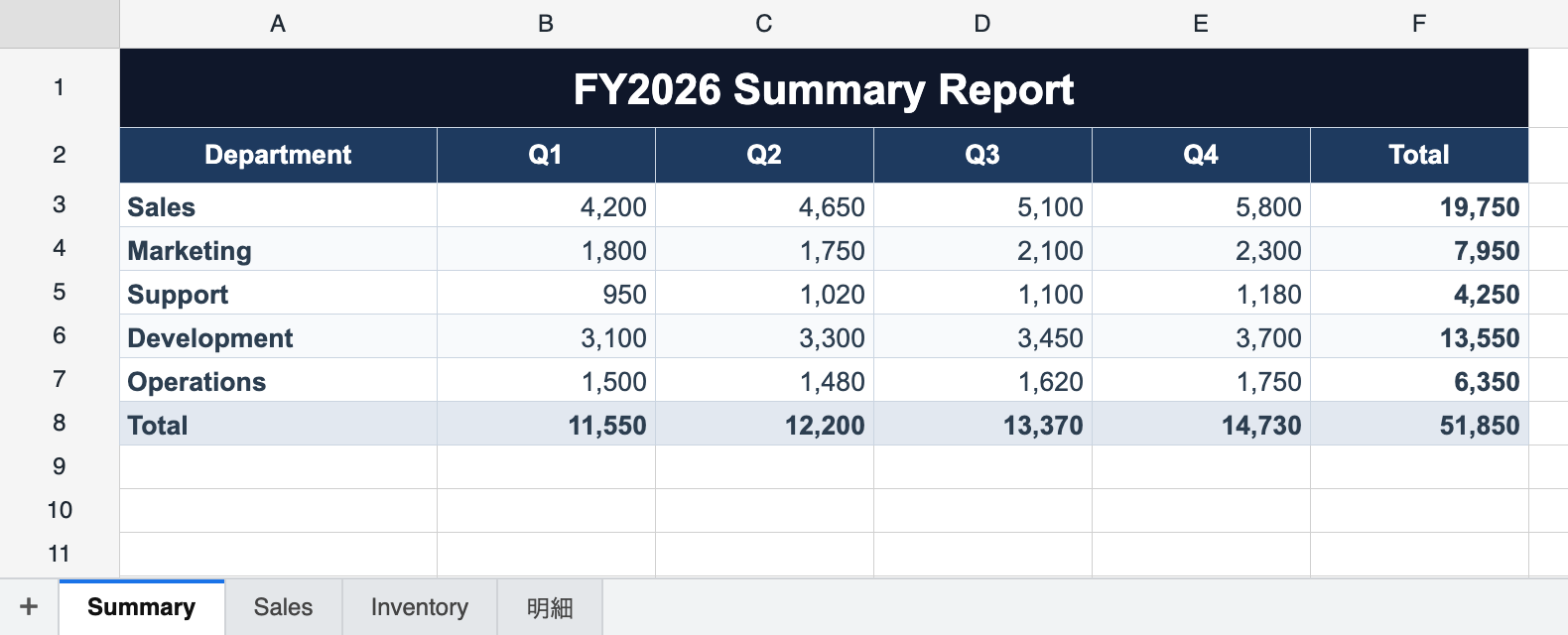
Multi-Sheet Workbook
Lite New in 1.3.0Multiple sheets with a built-in tab bar and cross-sheet formulas.
Live Examples
Try each demo live in the browser — click any card to open.
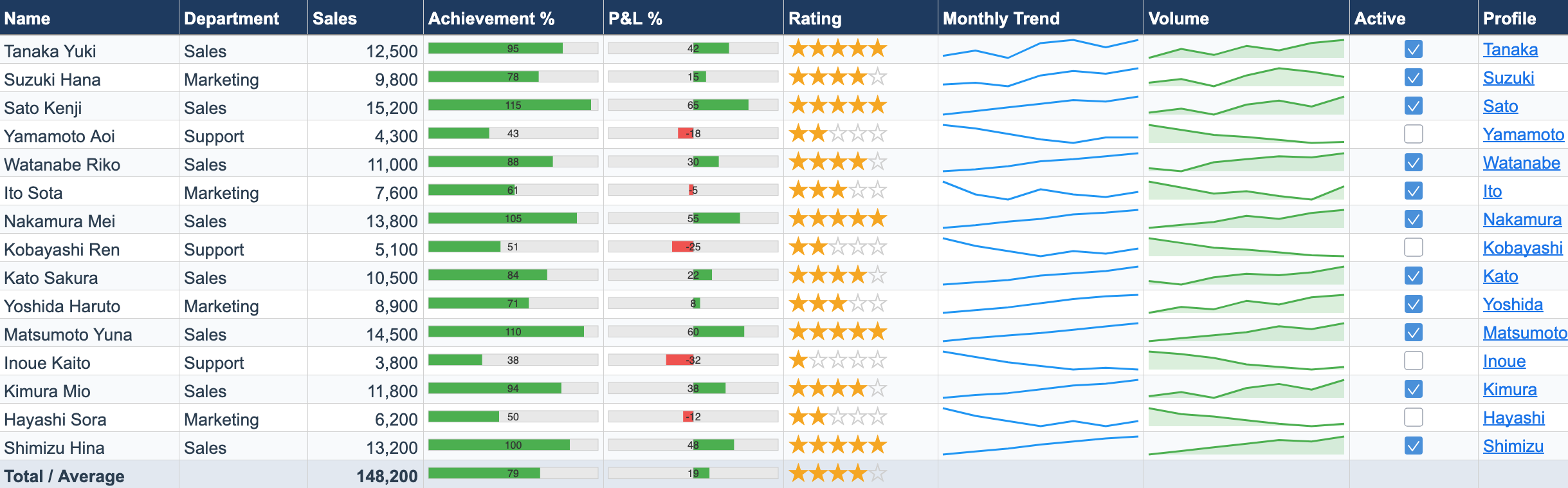
Cell Types Dashboard
PROProgress bars, star ratings, sparkline charts, checkboxes, and hyperlinks — all rendered inside spreadsheet cells.
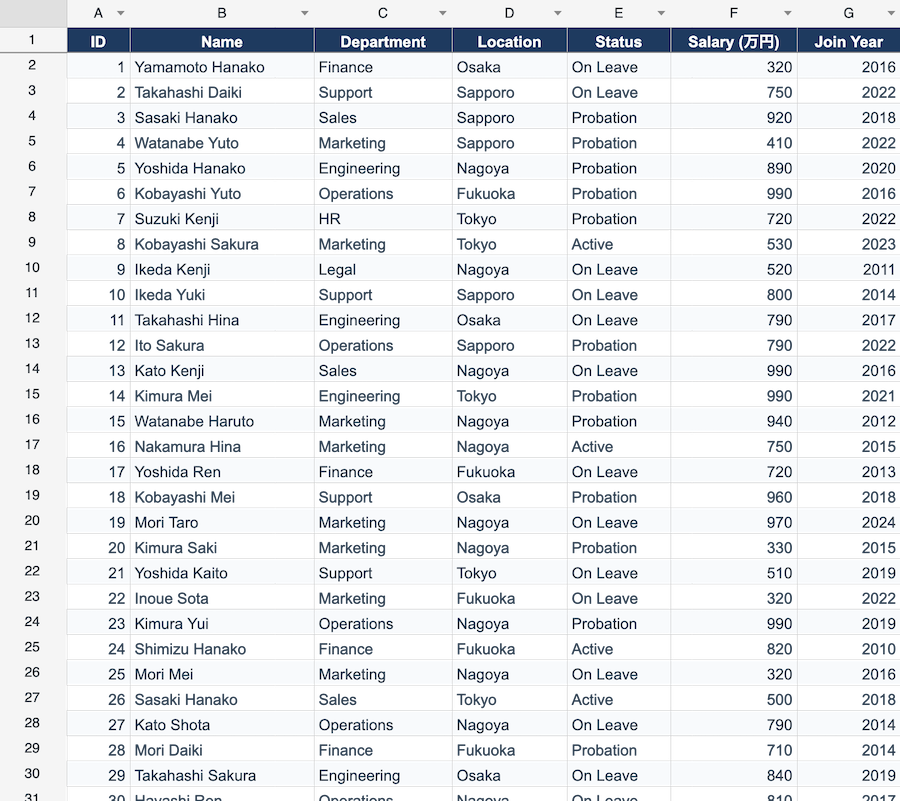
Data Filter & Sort
PROClick column header dropdowns to filter and sort rows. Switch between 300, 1K, and 10K rows to test performance.
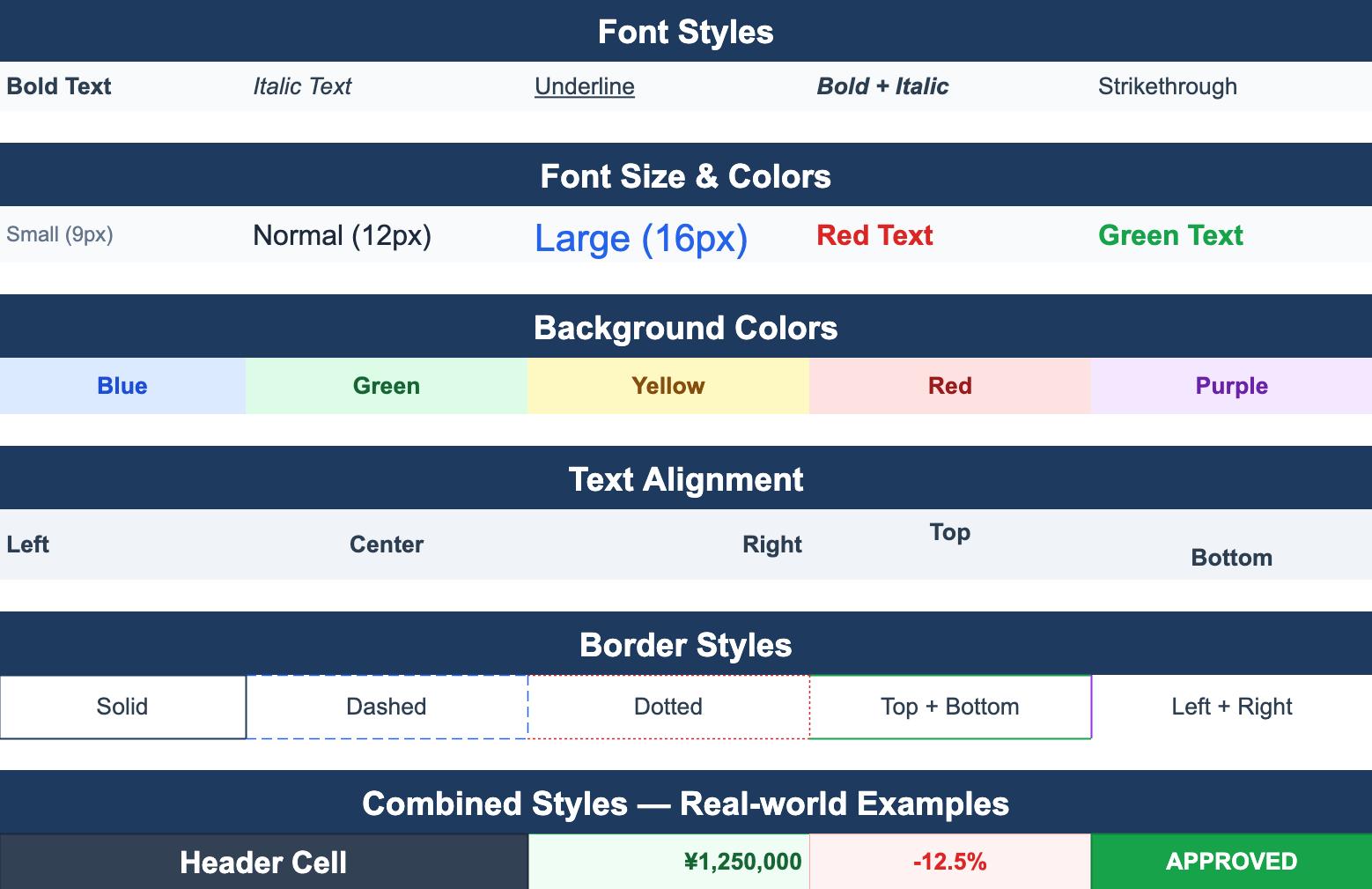
Cell Styles
Font styles, colors, backgrounds, text alignment, and border options — a showcase of the Cell Style API.
From the blog
Guides on building Excel-like spreadsheets on the web — performance, formulas, and xlsx I/O.
Checkboxes, Dropdowns, and Progress Bars in Cells — Building a Live Attendance Sheet with Cell Types
Bring the interactive parts of an Excel business sheet — checkboxes, pick lists, progress bars — to the web without rebuilding them as HTML forms. A full worked example: a weekly attendance sheet using ReoGrid Web's 8 built-in cell types.
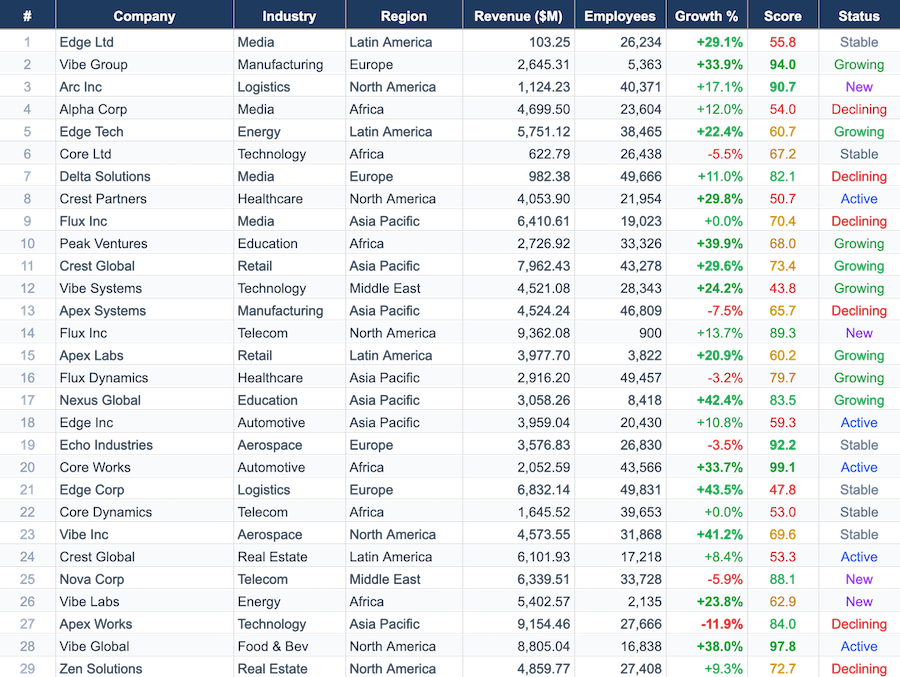
One million rows in a browser spreadsheet — without loading one million rows
Three weeks ago we wrote that a million rows was out of scope for ReoGrid Web. We changed our mind. Here's the delay-load data source: a scrollbar that represents 1,000,000 rows while the grid holds only the few hundred you can actually see.
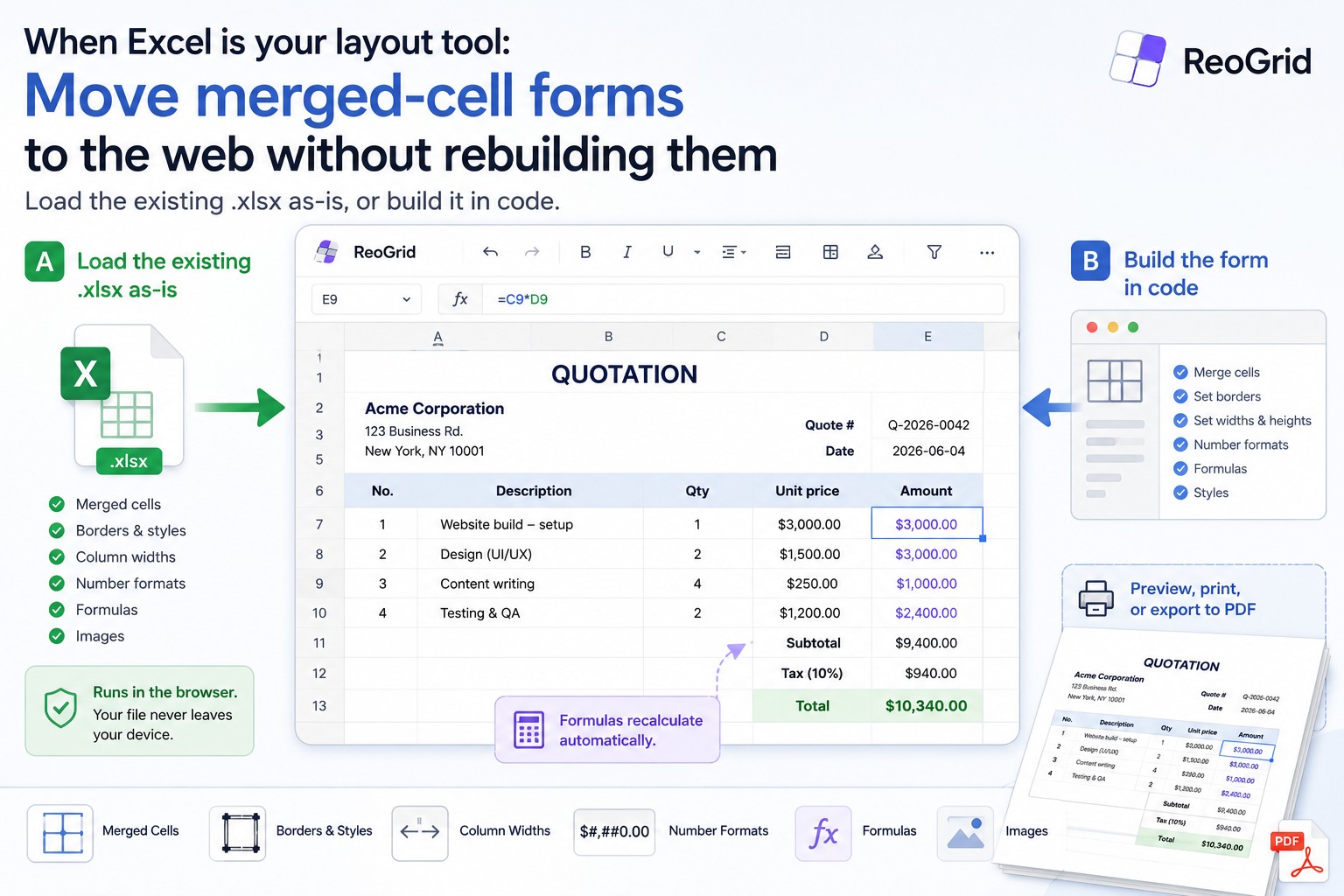
When Excel is your layout tool: move merged-cell forms to the web without rebuilding them
A lot of business 'spreadsheets' are really forms — merged cells, borders, fixed column widths, embedded formulas. Two practical ways to bring them to the web with ReoGrid Web: load the existing .xlsx as-is, or rebuild it in code. With working examples.
Get started in minutes
Free Lite edition. Pro and Enterprise add advanced features and license keys.
import { Reogrid } from '@reogrid/lite/react';

export default function App() {
  return (
    <Reogrid
      style={{ width: '100%', height: '400px' }}
    />
  );
}Lite, Pro & Enterprise
Start free. Upgrade when you need more.
- 100 rows x 26 columns limit
- Unlimited domains
- Core spreadsheet features
- Basic formula engine
- xlsx import only
- Merged cells, borders & number formats
- Community support
- Up to 3 domains
- Full spreadsheet features
- Formula engine (109 functions)
- xlsx import & export
- Full cell type support
- Online license key authentication
- 3 Months Technical Support
- Up to 30 domains (unlimited option available)
- Full spreadsheet features
- Formula engine (109 functions)
- xlsx import & export
- Full cell type support
- Offline license file authentication
- 3 Months Technical Support
All paid plans come with a 30-day free trial — license key issued instantly, no credit card required. Start Free Trial →
Also need a .NET spreadsheet component?
ReoGrid is also available as a powerful WinForms/WPF component for .NET developers.