
Features
Everything ReoGrid Web 1.7.1 can do — 59 features across rendering, formulas, data tooling, I/O, and UI, each with a live screenshot.
Core Features
The foundation: high-performance rendering, cell data, styling, and workbook structure.
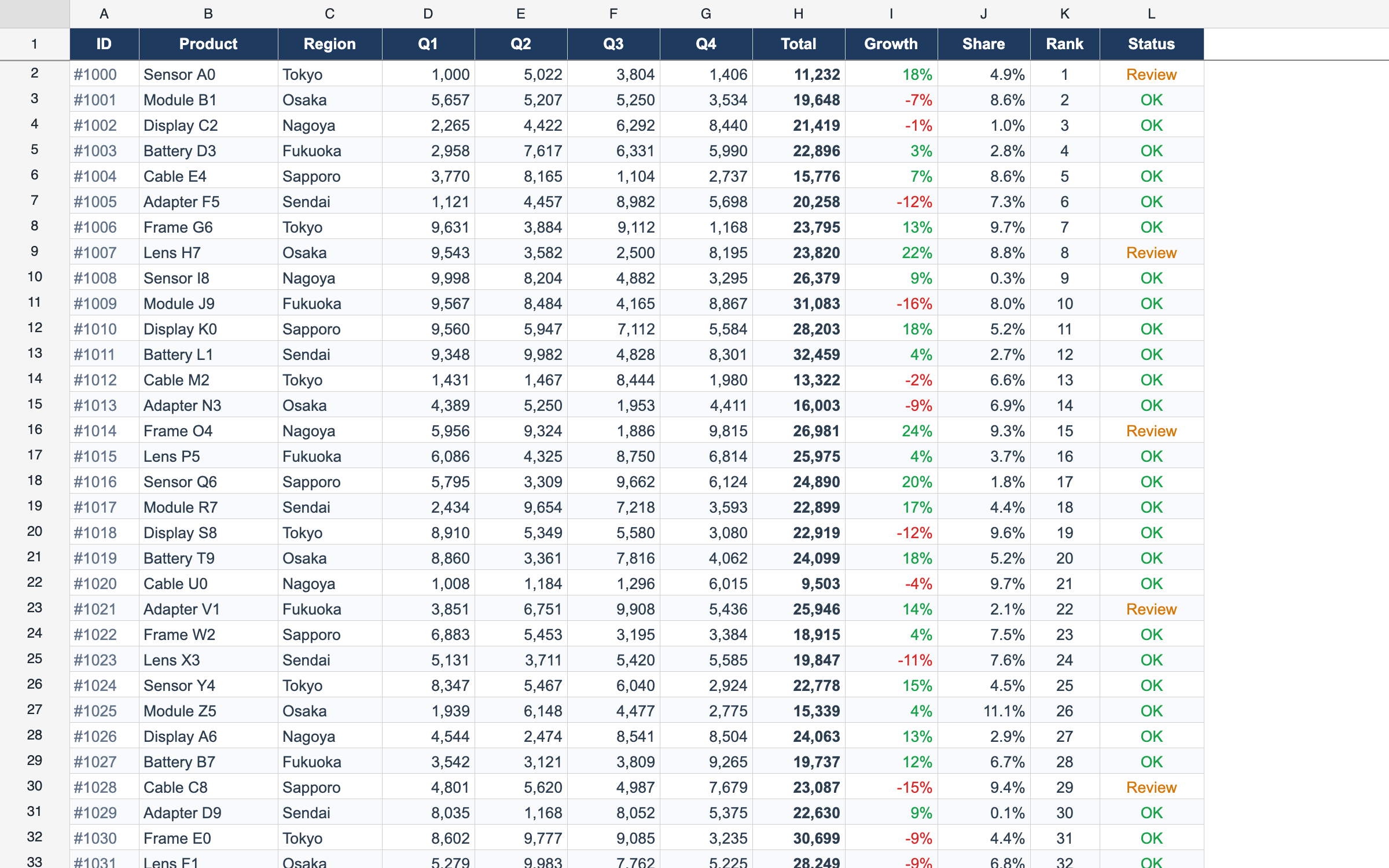
Canvas Rendering
High-performance cell rendering on HTML5 Canvas — no DOM bloat, 10,000 rows at 60 fps.
createReogrid({ workspace: '#grid' }) 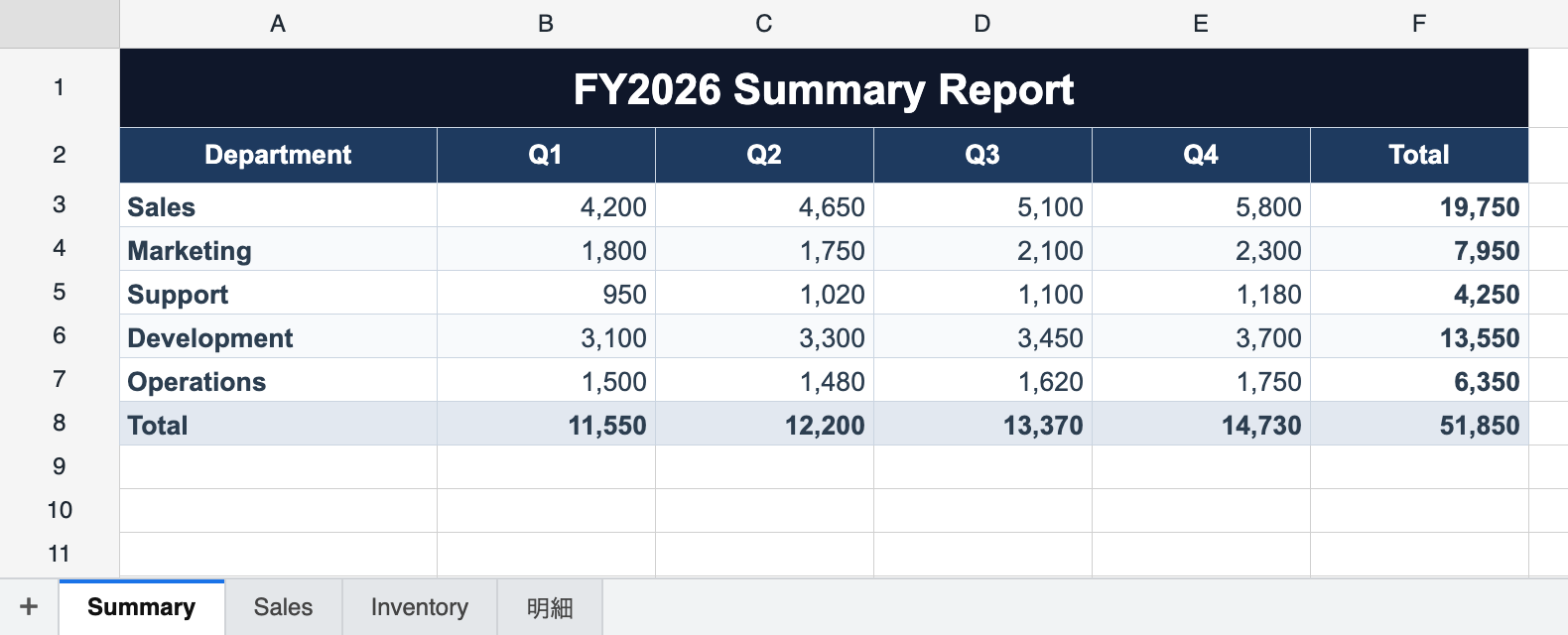
Multi-Sheet Workbook
A grid is a workbook of N worksheets with a built-in sheet tab bar — add, rename, reorder, hide, and color tabs. Each sheet keeps its own data, selection, frozen panes, and undo history.
instance.workbook.addSheet('Sheet2') 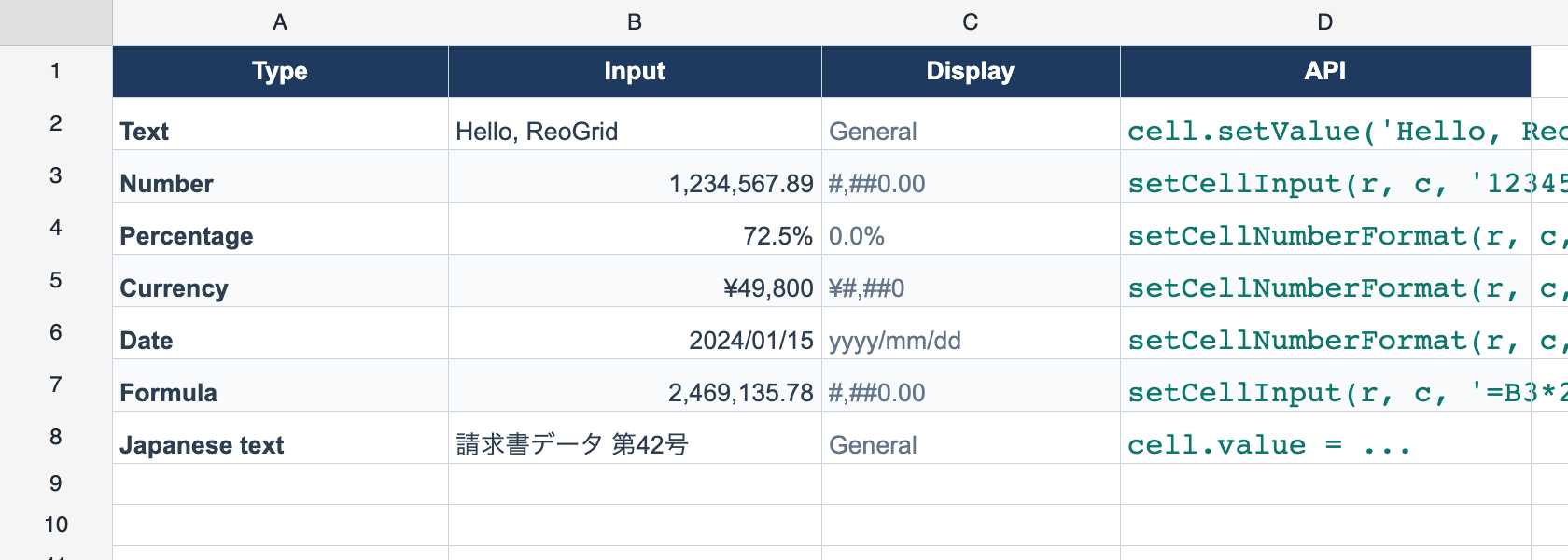
Cell Data
Read and write cell values, bulk-load datasets, and retrieve formatted display text through a simple API.
worksheet.loadCells(data) 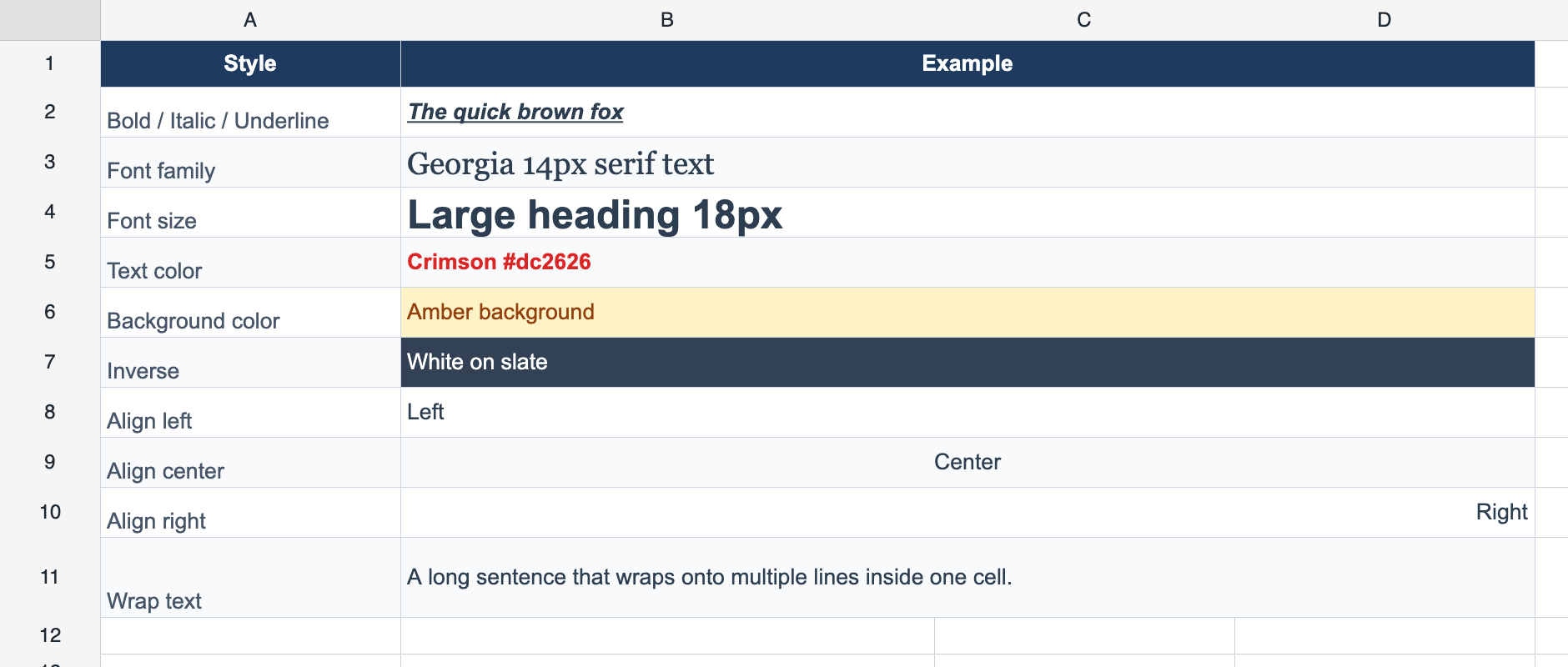
Cell Styles
Font family, size, bold, italic, underline, text and background colors, horizontal/vertical alignment, and text wrapping.
worksheet.setRangeStyle(range, style) 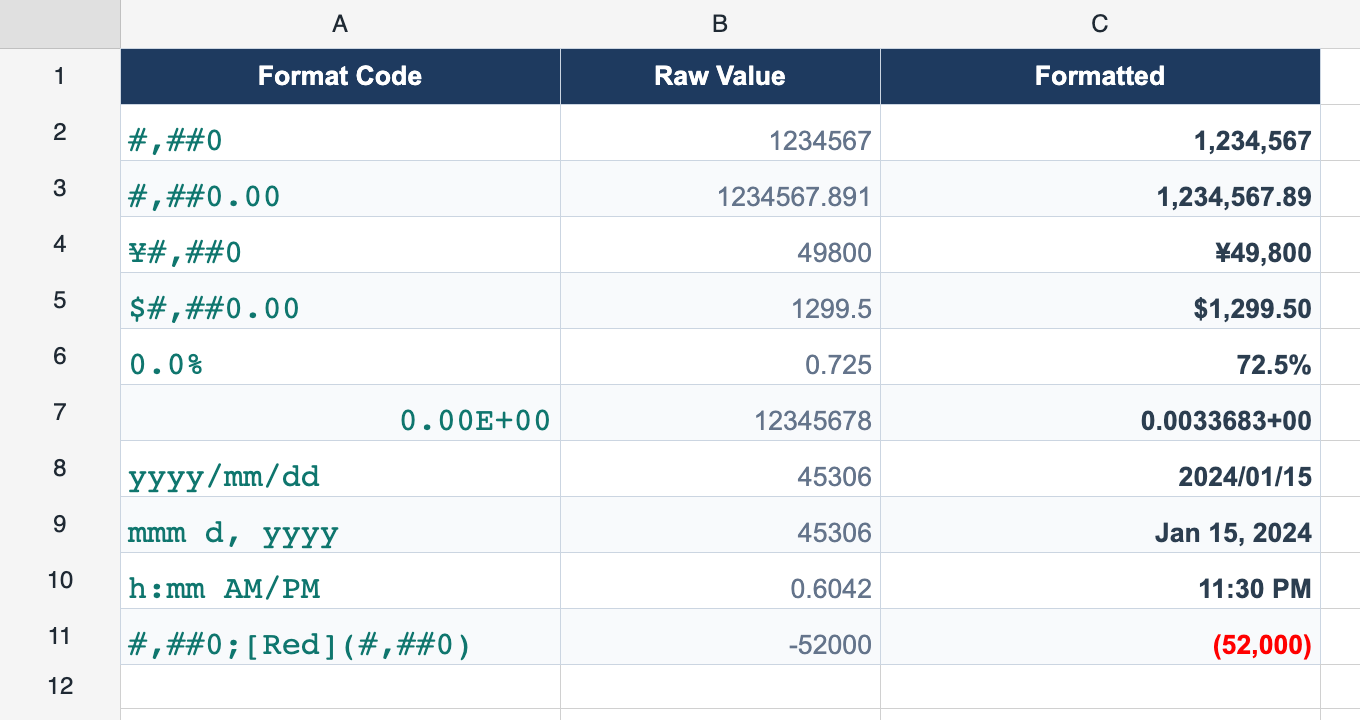
Number Formatting
Excel-compatible format codes — thousands separators, currency, percentages, dates and times (#,##0, ¥#,##0, 0.00%).
worksheet.setCellNumberFormat(r, c, '#,##0') 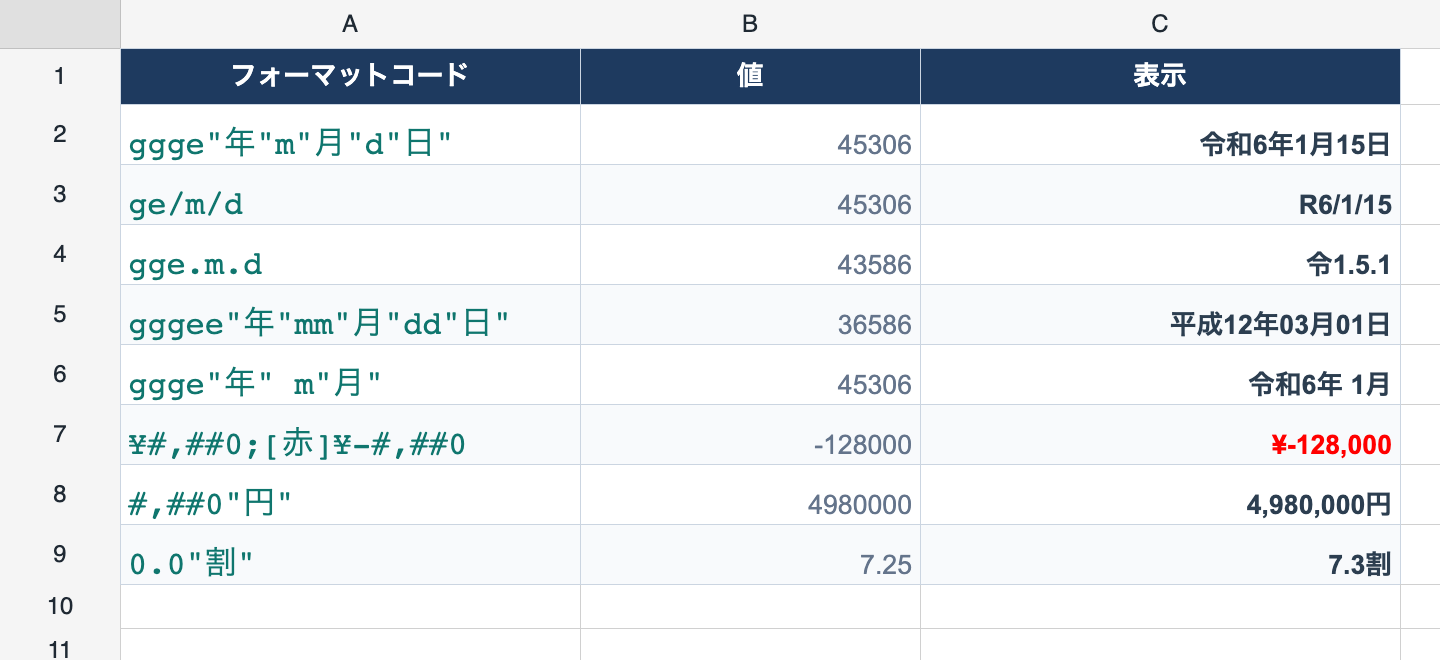
Japanese Era & Color Formats
Reiwa/Heisei/Showa era dates and [Red]/[赤] color bracket formats for Japanese business documents.
Borders
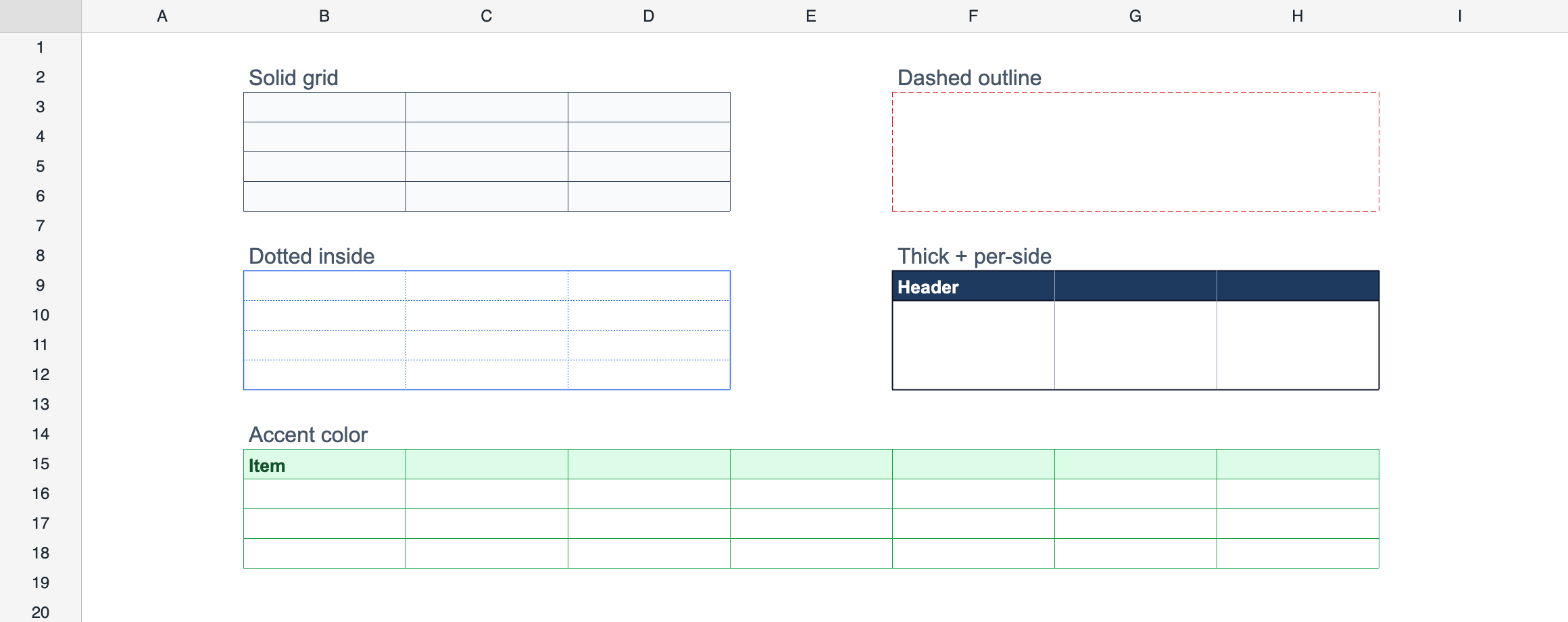
Cell and range borders on any side, with style, color, and width control.
worksheet.setRangeBorders(range, borders) 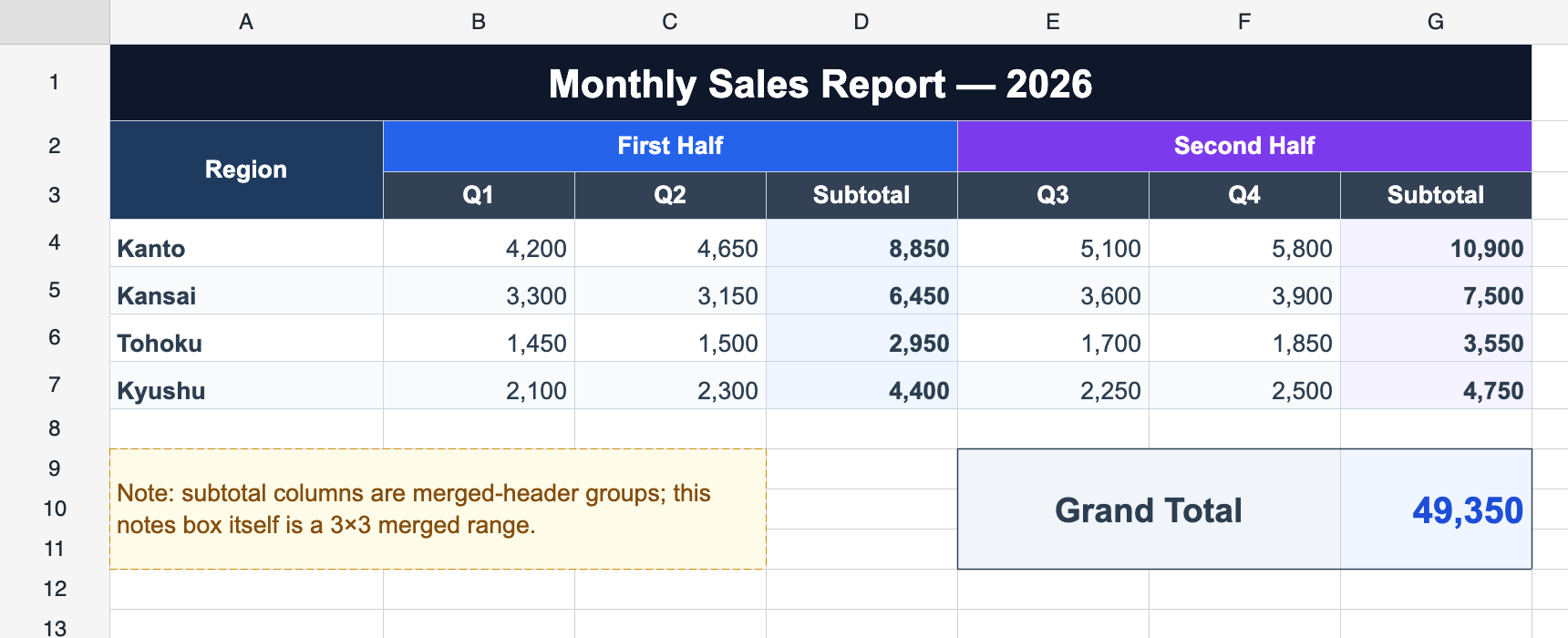
Cell Merging
Merge and unmerge cells for titles, grouped headers, and complex multi-level table layouts.
worksheet.mergeCells(range) 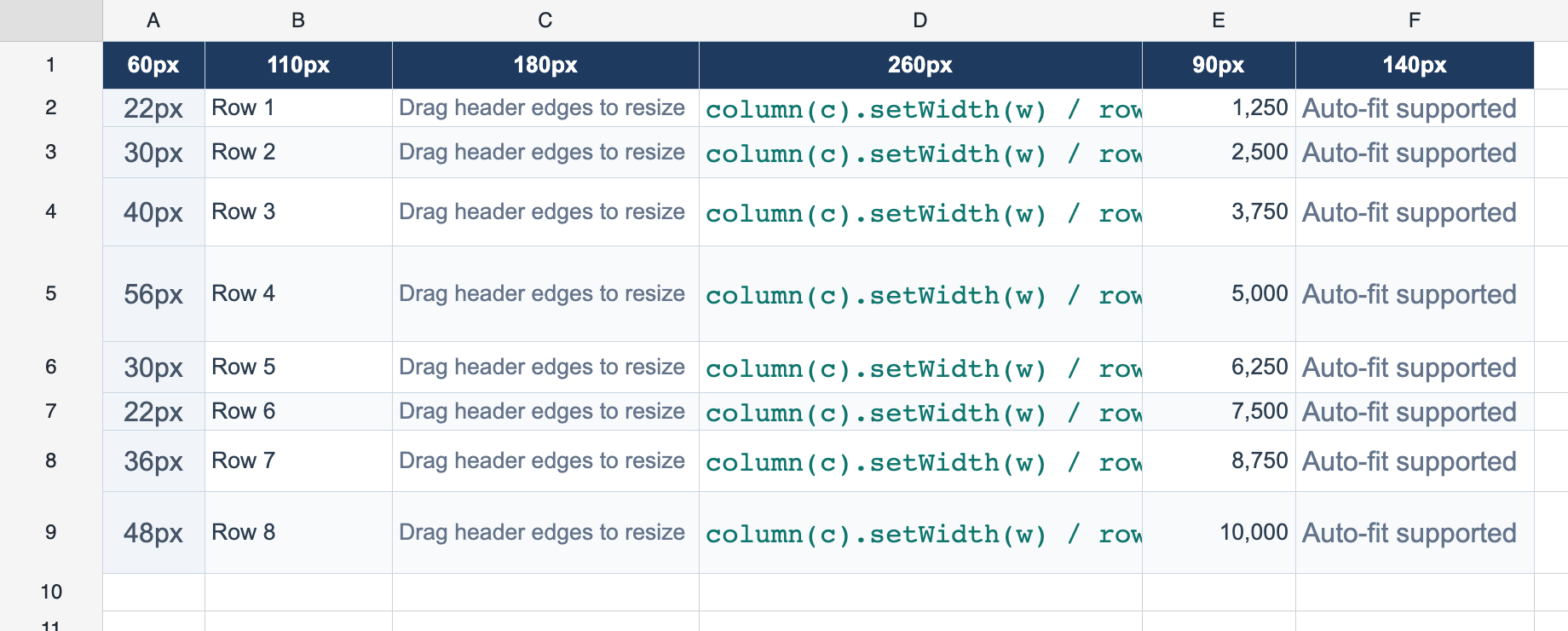
Row & Column Sizing
Resize rows and columns by dragging headers or via the API, with auto-fit to content.
worksheet.setColumnWidth(col, 120) Also included
Turn cell text through Excel's -90..90 degrees for slanted headers over narrow columns, or switch on Japanese vertical writing. Auto-fit measures the rotated outline, and screen, xlsx, browser print and PDF all agree.
Insert and delete rows or columns, and show or hide them. Formula references shift automatically.
Formula Engine
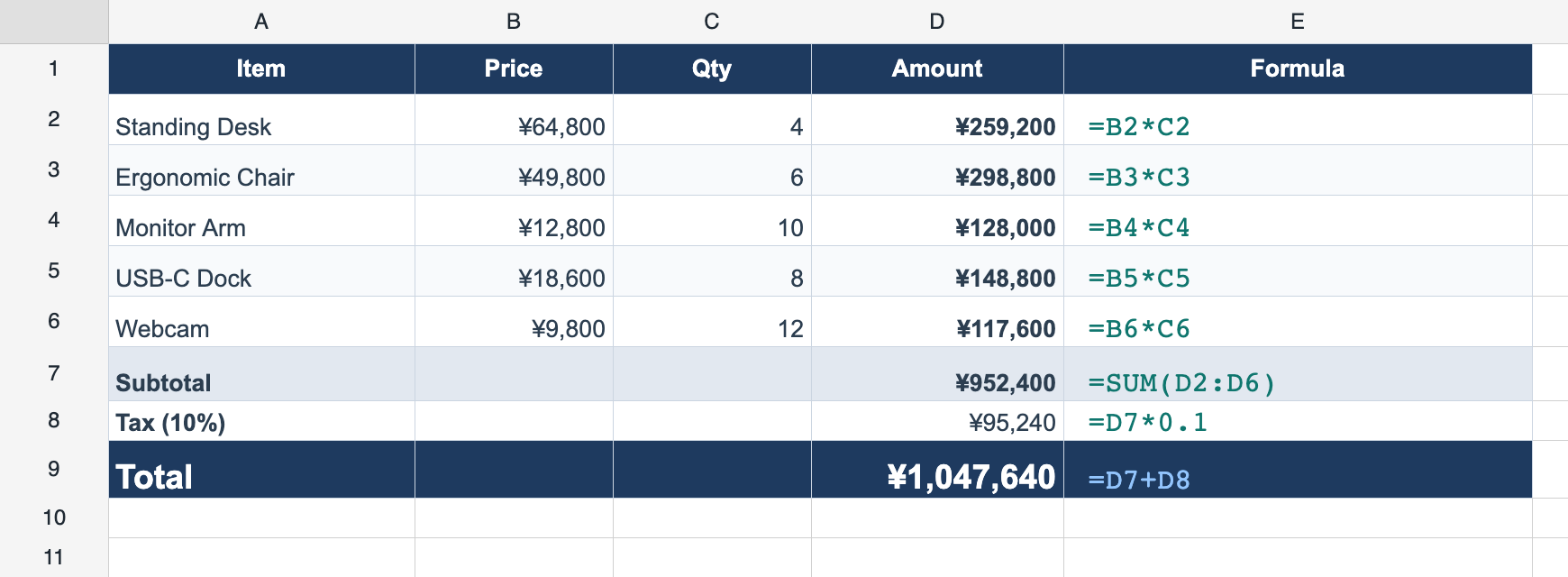
An Excel-compatible formula engine with automatic recalculation and cross-sheet references.
Formula Engine
Excel-compatible AST parser with a dependency graph — referenced cells recalculate automatically. A1 relative and absolute references, range references.
worksheet.setCellInput(r, c, '=A1+B1*2') 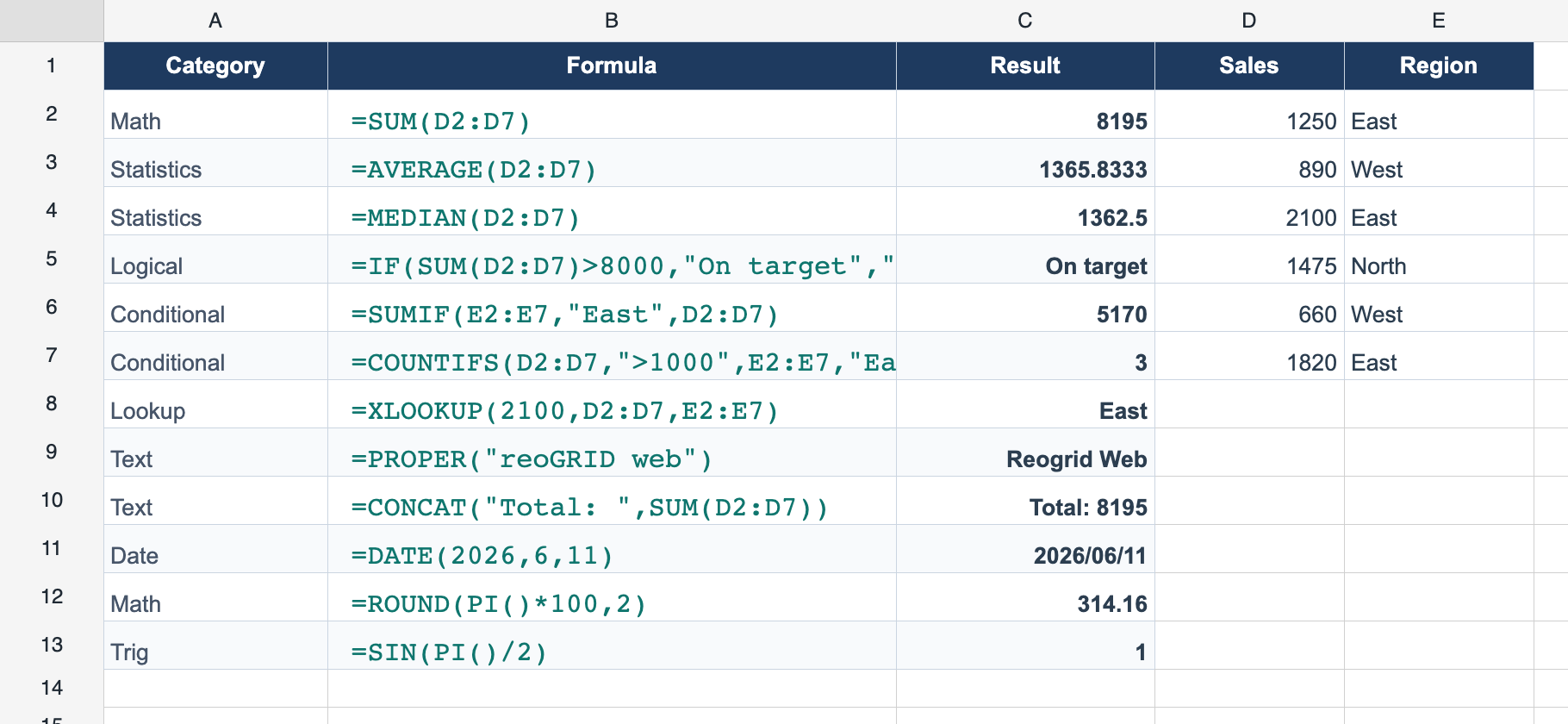
109 Built-in Functions
109 functions across math, statistics, trigonometry, logical, text, date/time, lookup, info, conditional aggregation, and random categories.
=SUM(A1:A10) 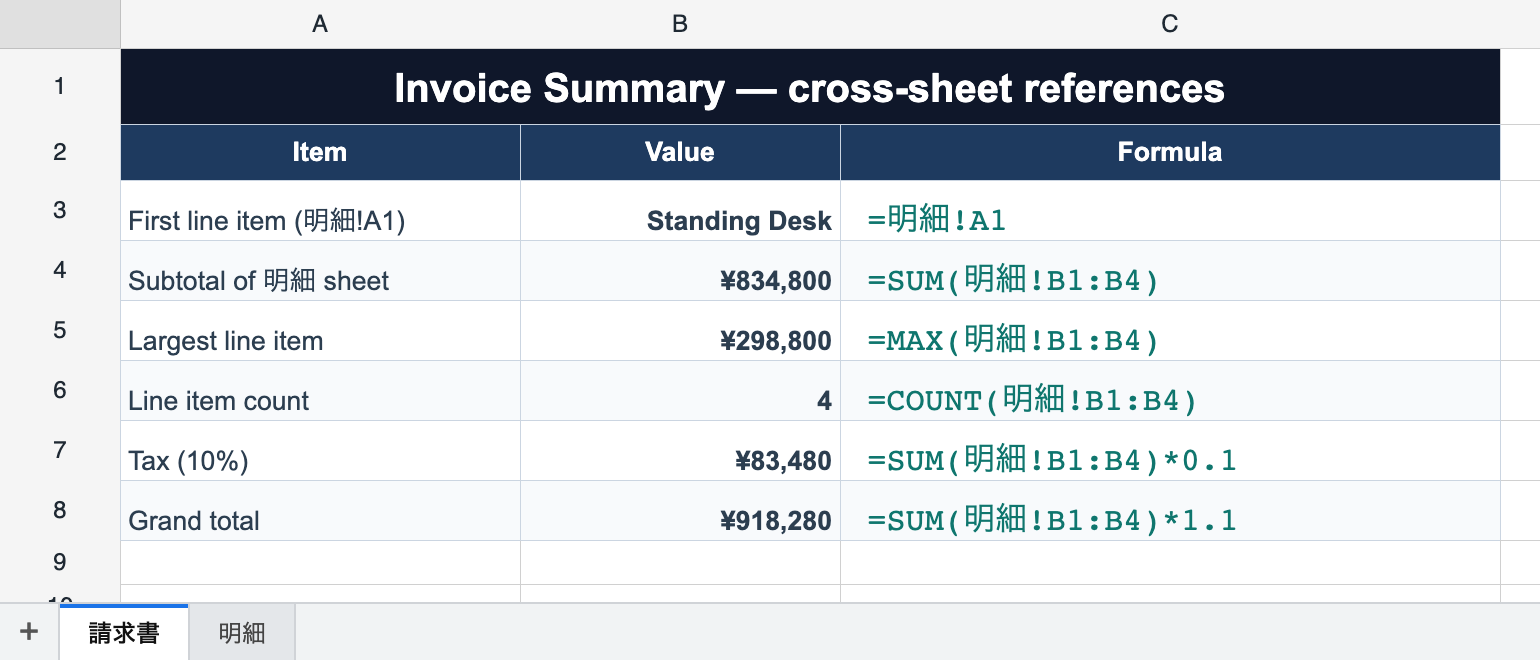
Cross-Sheet Formulas
Reference cells on other sheets — =Sheet1!A1, =SUM(明細!A1:A3), =VLOOKUP(A1,Master!A1:C10,2). Renames rewrite formulas; edits propagate across sheets.
=SUM('My Sheet'!A1:B2) 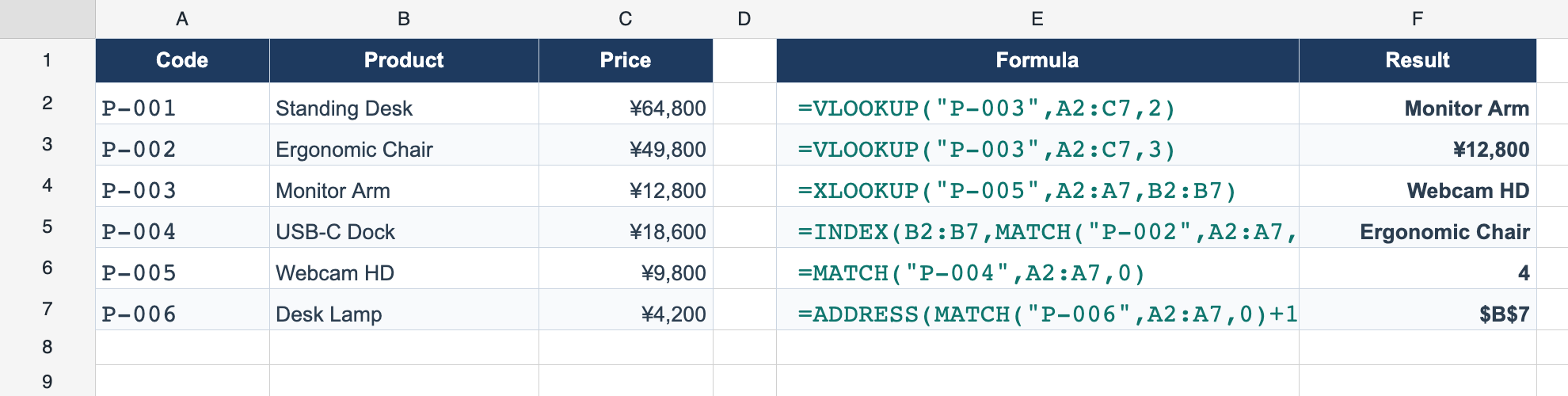
Lookup & Reference
VLOOKUP, HLOOKUP, XLOOKUP, INDEX, MATCH, XMATCH, ADDRESS, ROW, COLUMN, ROWS, COLUMNS.
=VLOOKUP(A2, D2:F10, 2) 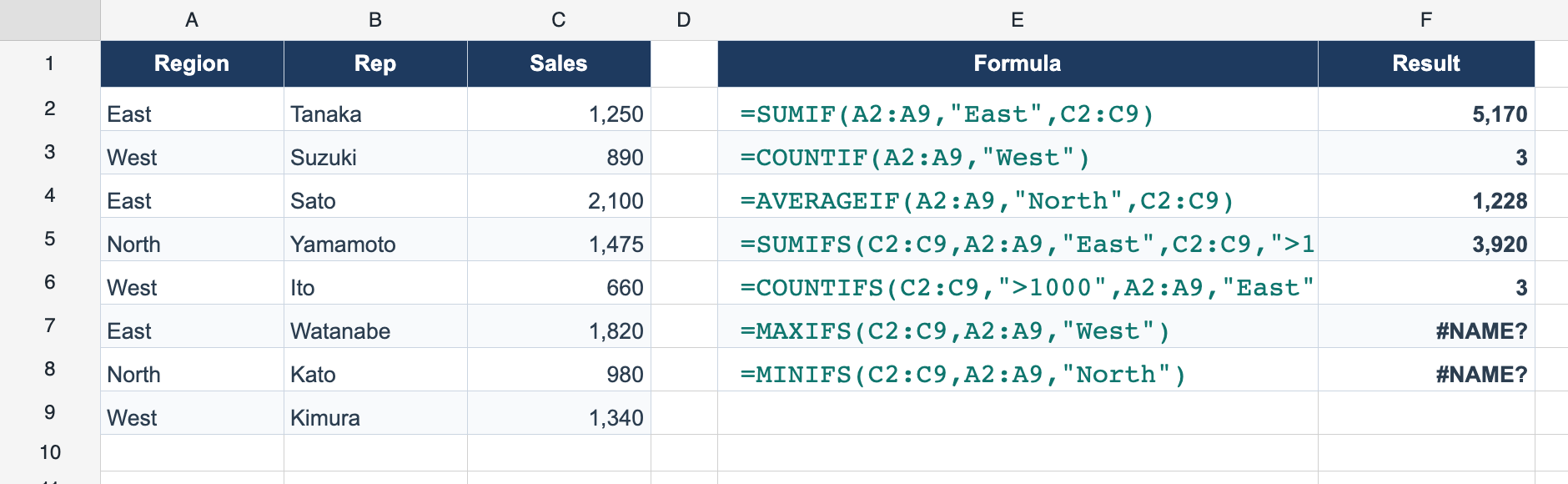
Conditional Aggregation
SUMIF, COUNTIF, AVERAGEIF and the multi-criteria *IFS variants (SUMIFS, COUNTIFS, MAXIFS, MINIFS).
=SUMIFS(C2:C20, A2:A20, "East") Also included
While editing a formula, click cells to insert references — each reference is color-coded with a matching outline on the grid, and ranges can be dragged to move or resize.
Define workbook- or sheet-scoped names for cells and ranges — =SUM(Sales), =Price*Qty. Renames, deletes, and structural shifts update or break (#REF!) names like a literal reference. xlsx/JSON round-trip; reads work in Lite.
Advanced Features
Data-application features: filtering, sorting, grouping, rich cell types, and million-row datasets.
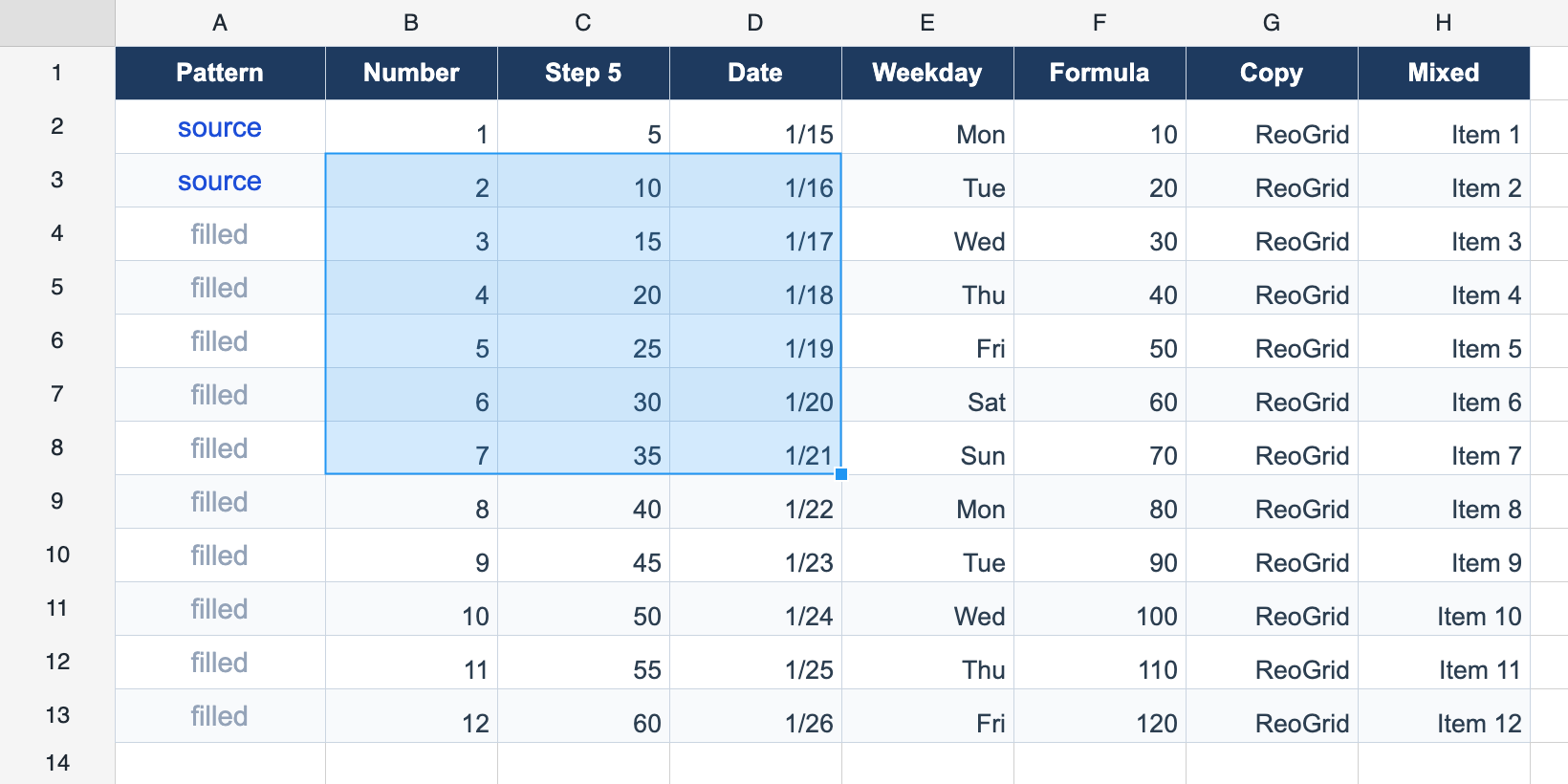
Auto-fill (Fill Handle)
Drag the bottom-right square of the selection to extend values in any direction. Detects copy, arithmetic progression, date increment, and formula relative-reference patterns.
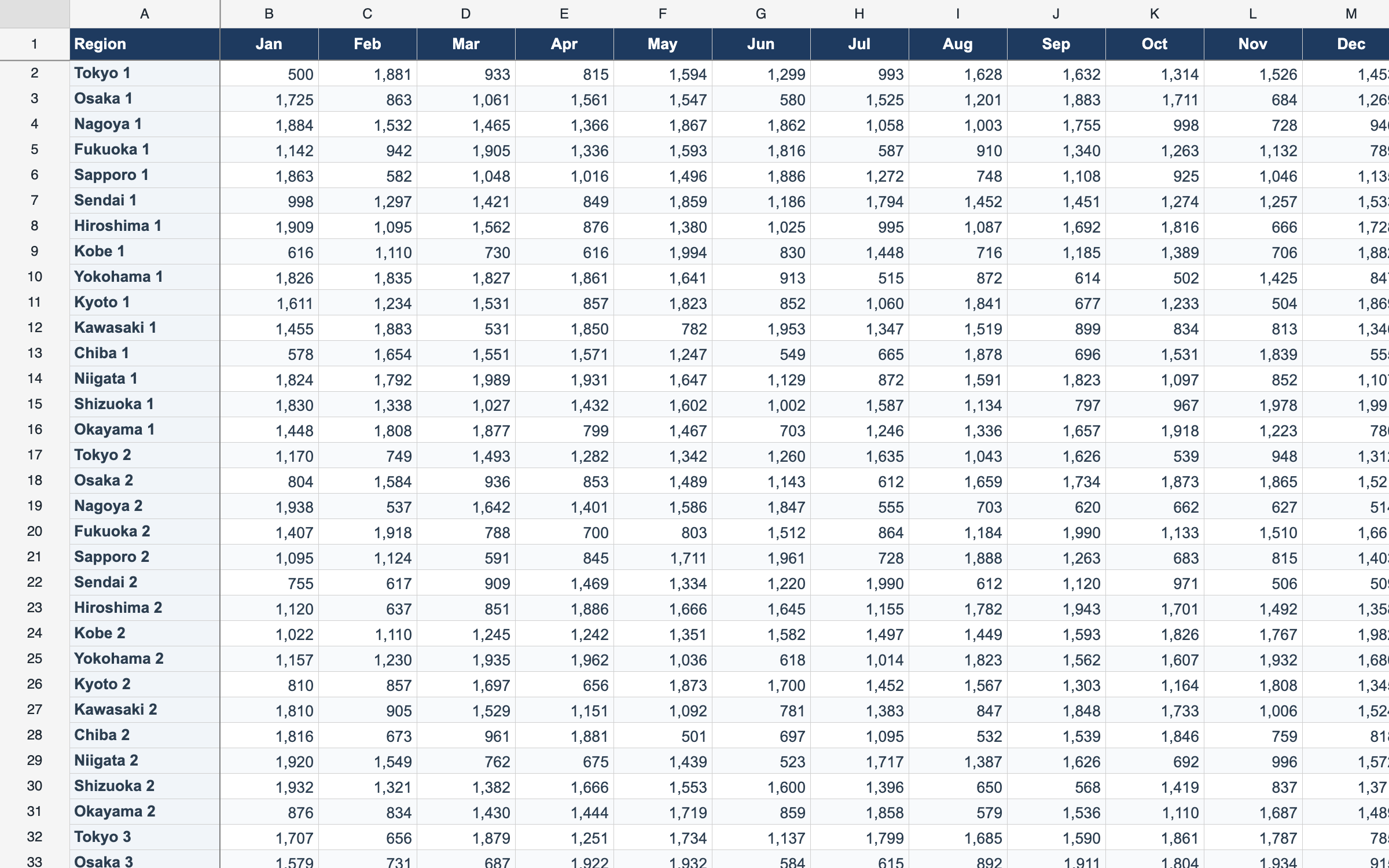
Freeze Panes
Freeze rows and columns so headers stay visible while scrolling large datasets.
worksheet.setFrozenRows(1) 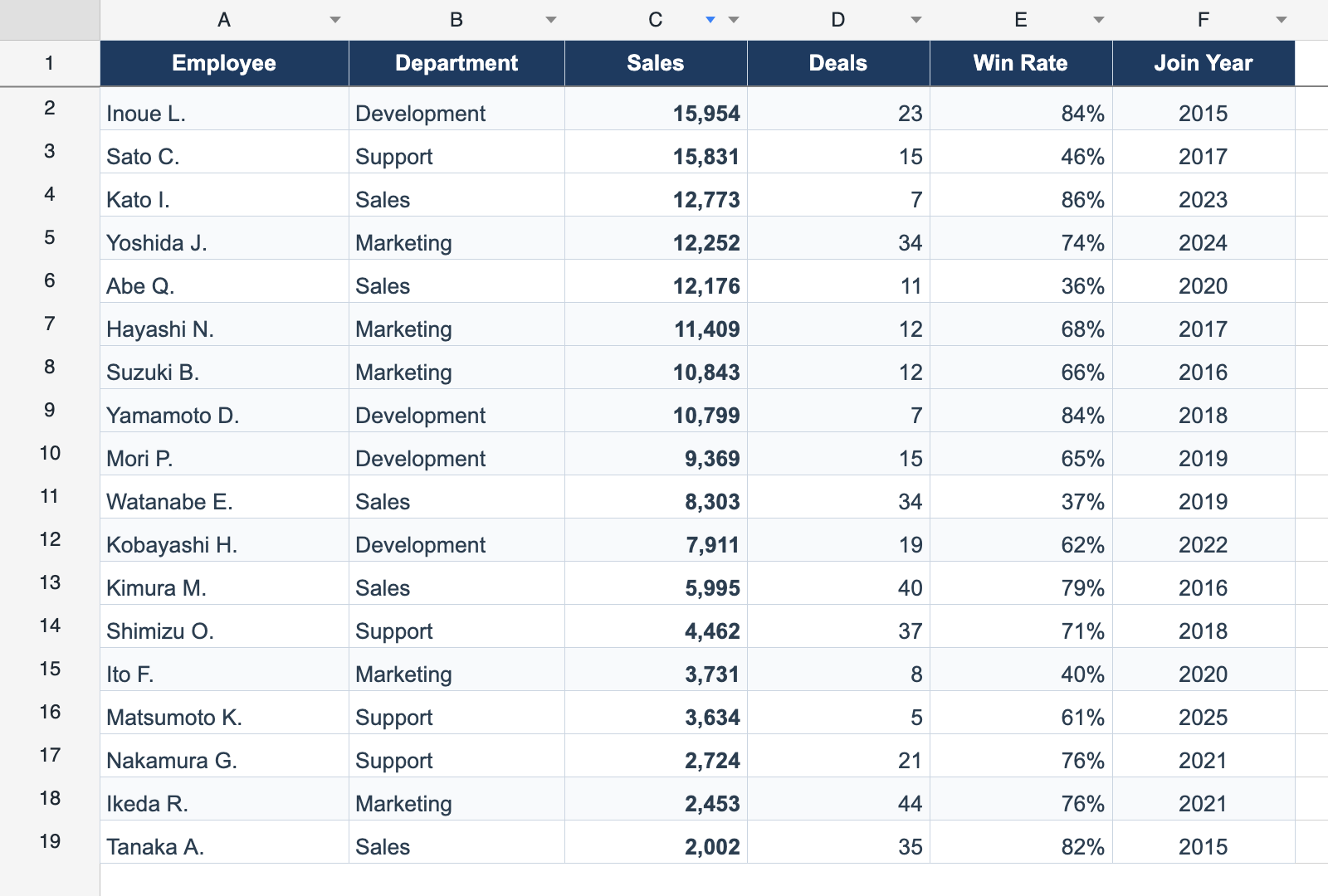
Sorting
Ascending and descending column sort, with custom comparators via the API.
worksheet.sortColumn(2, 'asc') 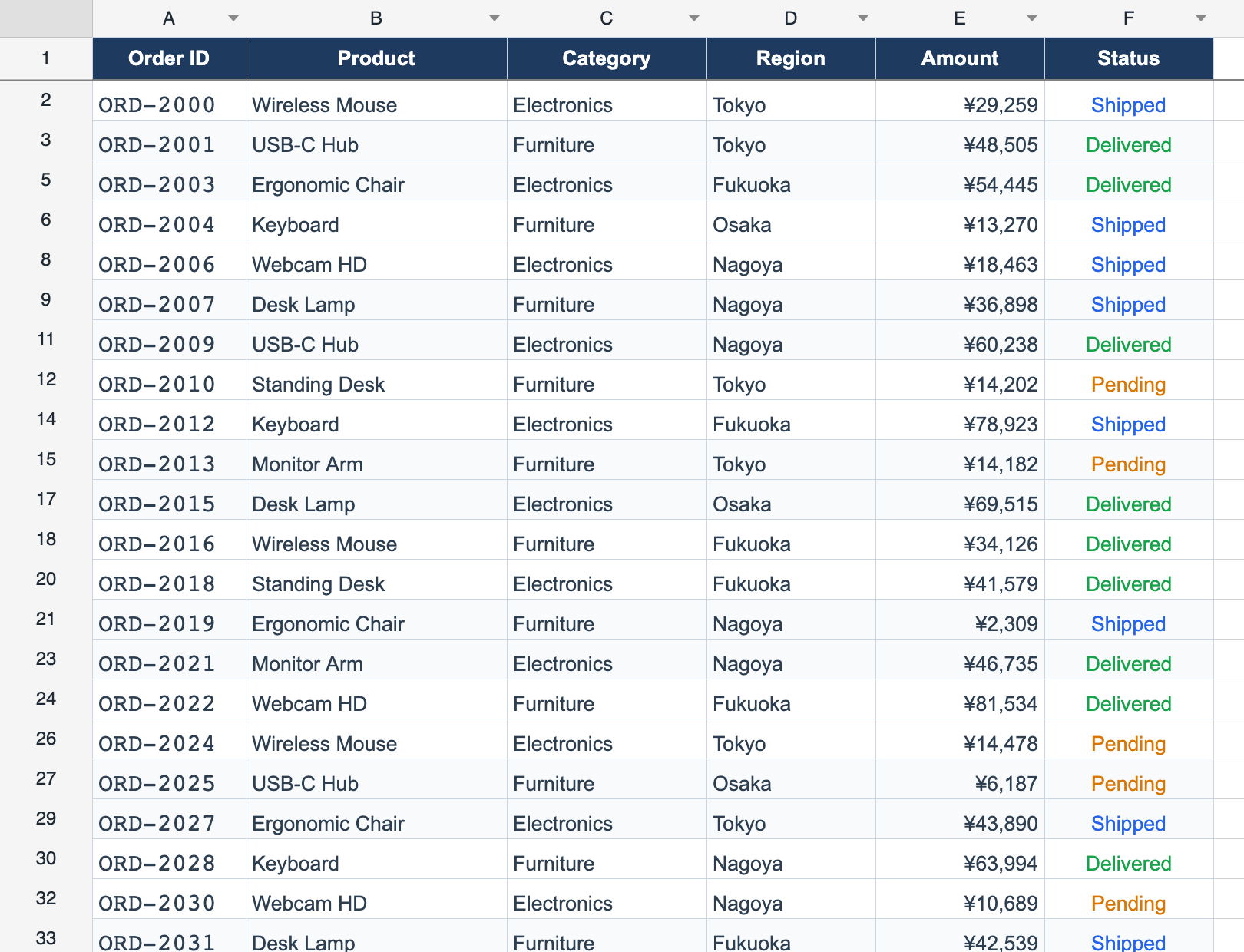
Auto-Filter
Excel-style header dropdowns for filtering rows by value, combined with sorting. Handles 10,000+ rows with ease.
worksheet.createAutoFilter(range) 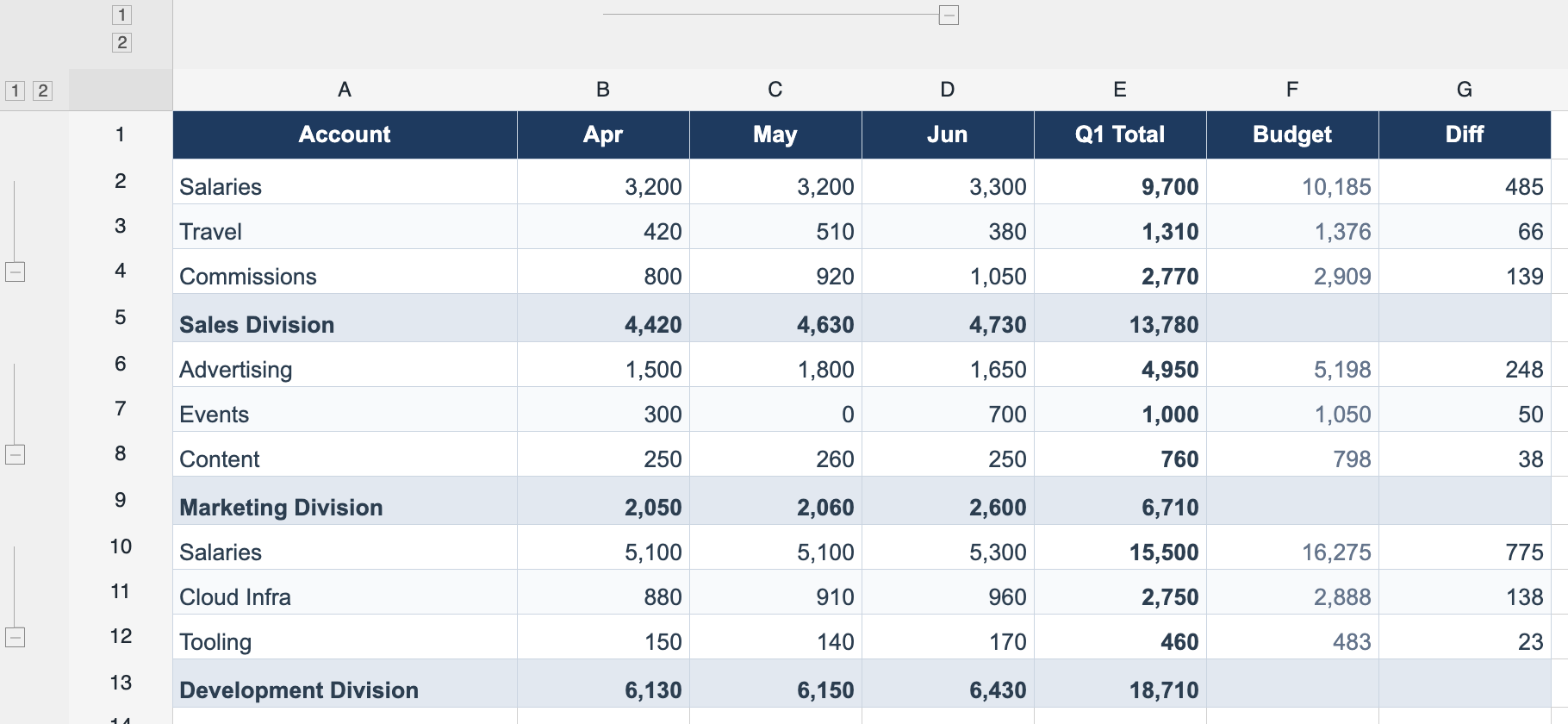
Grouping (Outline)
Row and column outlining with collapse/expand controls and multi-level nesting.
worksheet.groupRows(2, 5) 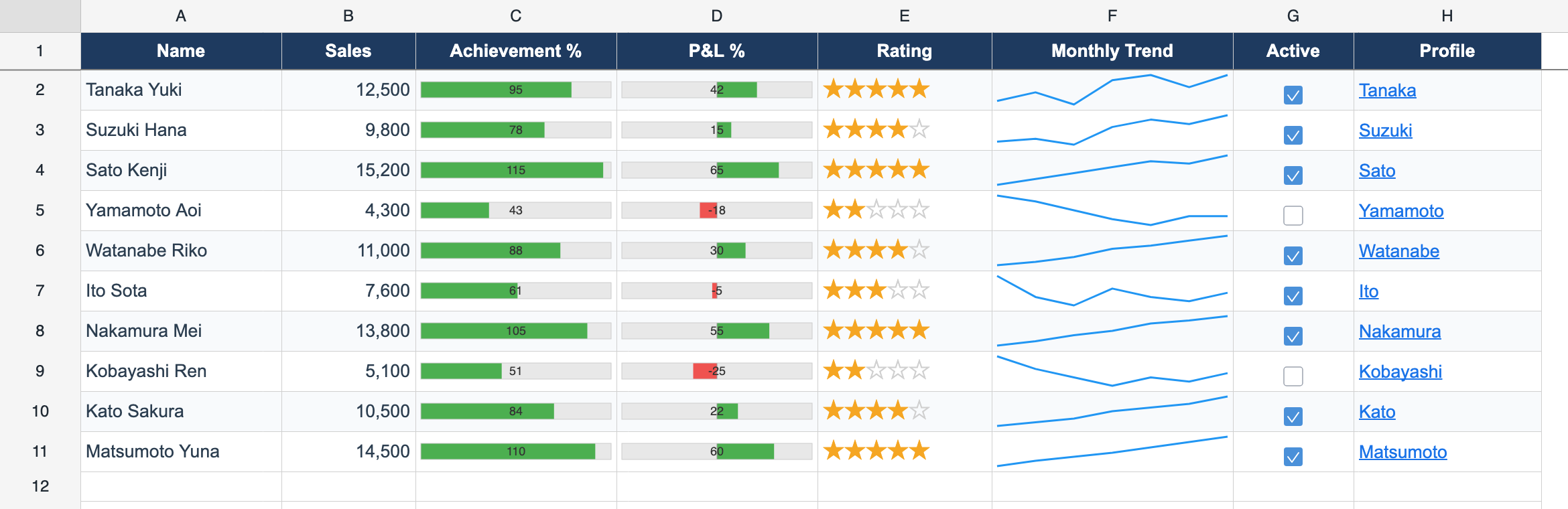
Cell Types
Checkbox, dropdown, button, progress bar, star rating, sparkline, and hyperlink — interactive widgets inside cells.
worksheet.setCellType(r, c, { type: 'progress' }) 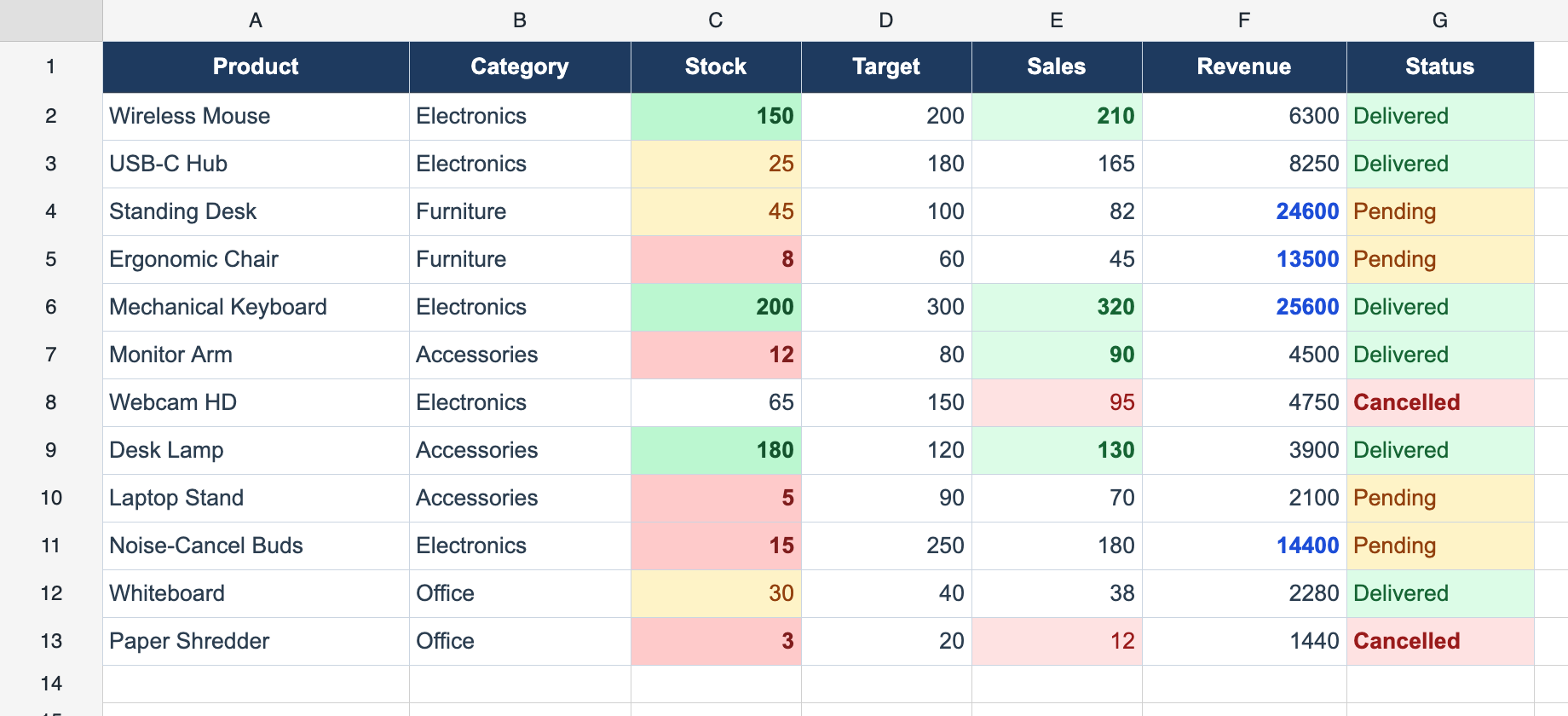
Conditional Formatting
Value-, expression-, and text-based rules that restyle matching cells live, with per-side border overrides.
worksheet.addConditionalFormat(rule) 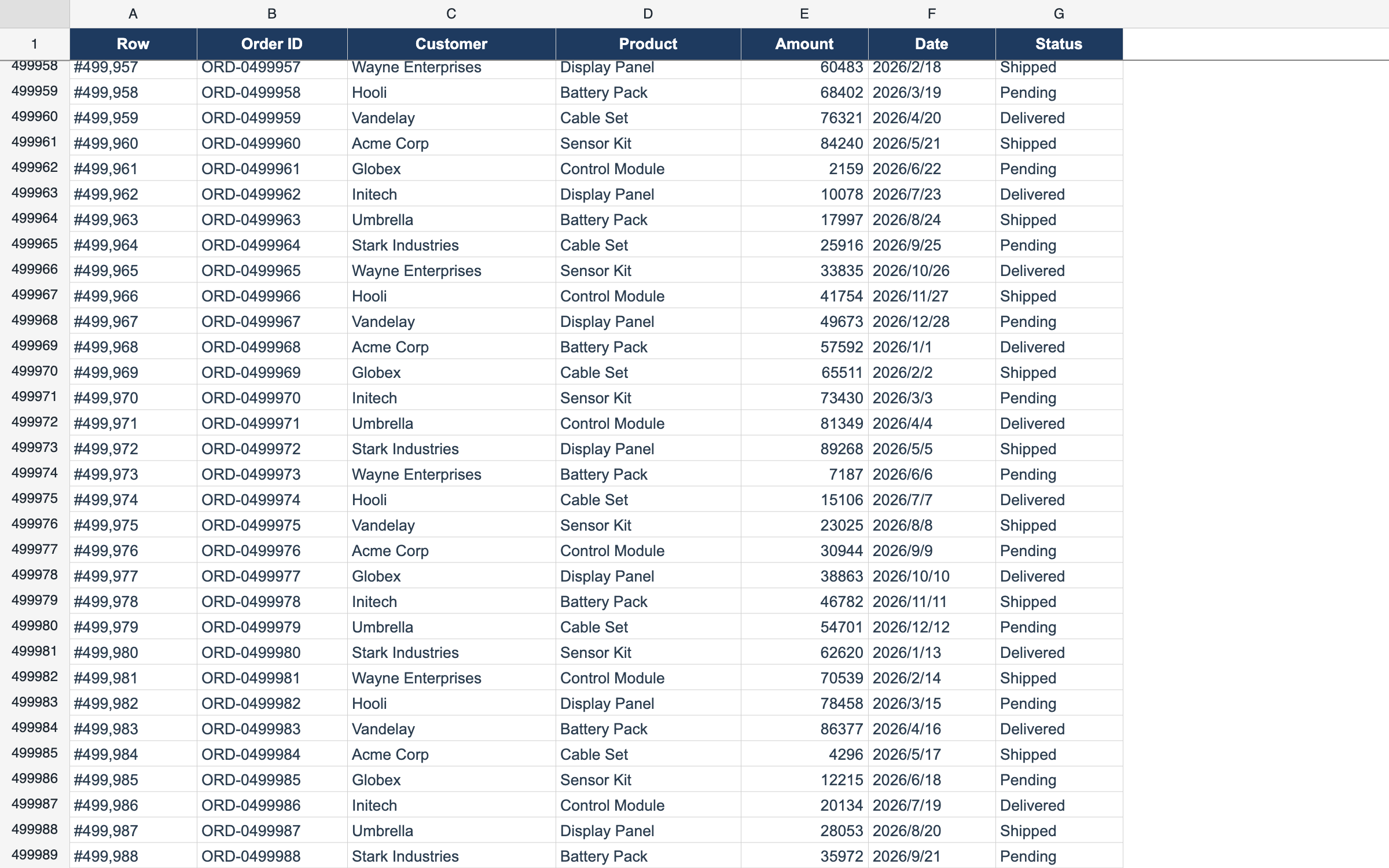
Delay Load — 1,000,000 Rows
setDataSource() fetches only visible rows on demand — display million-row datasets while keeping a few hundred rows in memory.
worksheet.setDataSource({ rowCount: 1_000_000, load }) 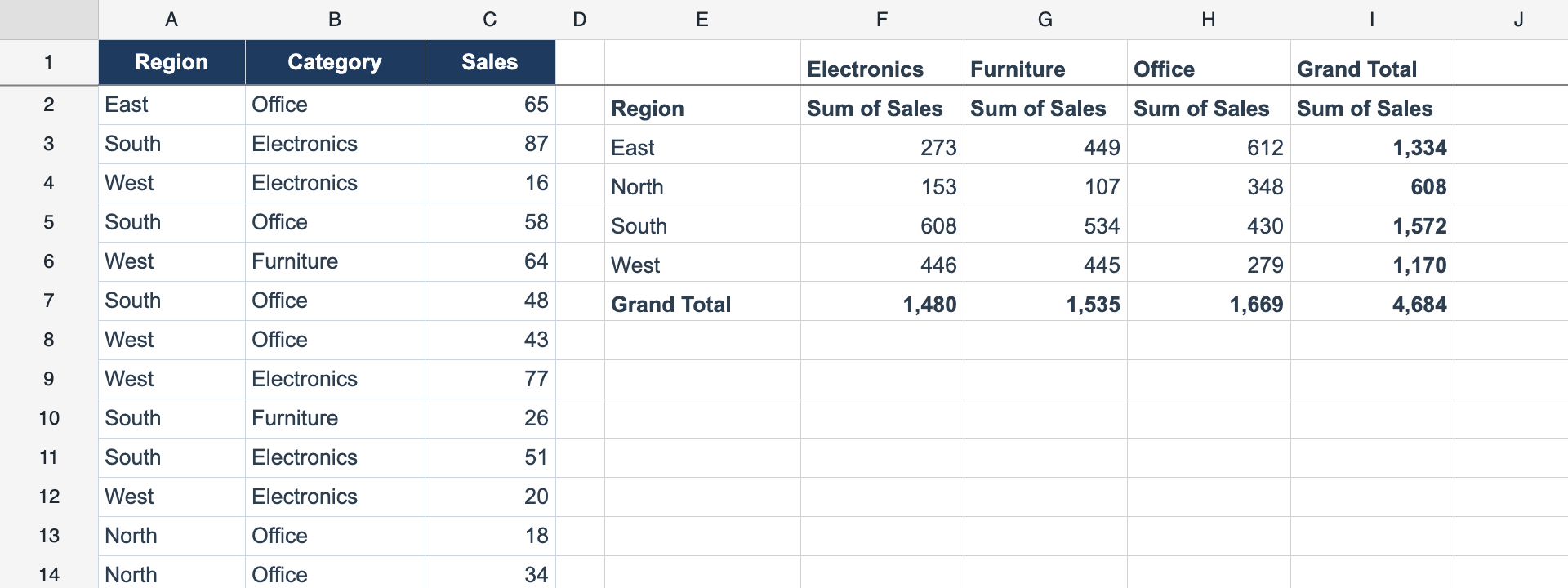
Pivot Tables
API-driven live pivot tables — rows, columns, values, and aggregations (sum, count, average, min, max) computed from a source range and rendered into the grid. Recomputes on source edits.
worksheet.createPivot({ source, anchor, rows, values }) 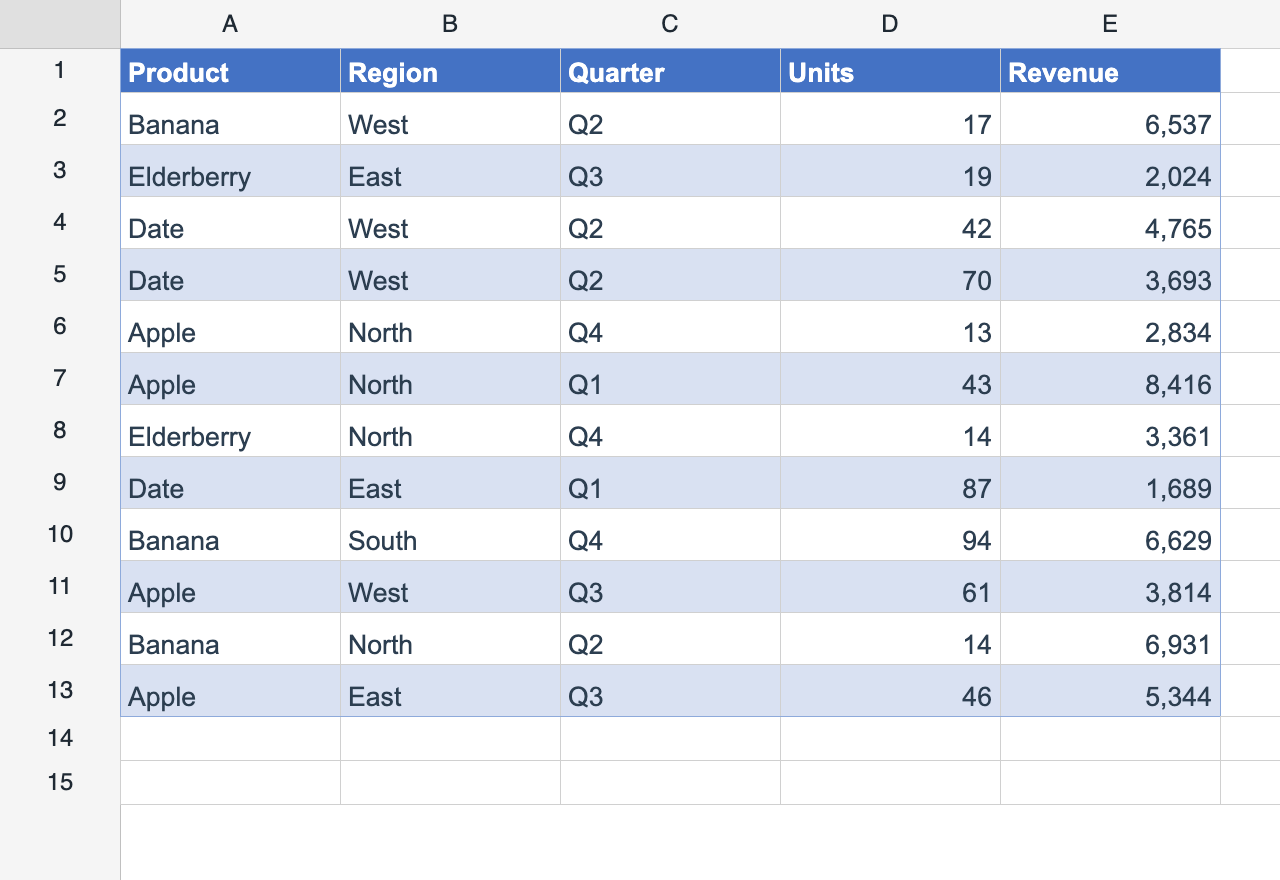
Table Styles
Excel “Format as Table” — built-in banded styles rendered as a live overlay that re-flows on row/column insert & delete. Round-trips real xl/tables/*.xml.
worksheet.addTable(range, { style: 'TableStyleMedium2' }) 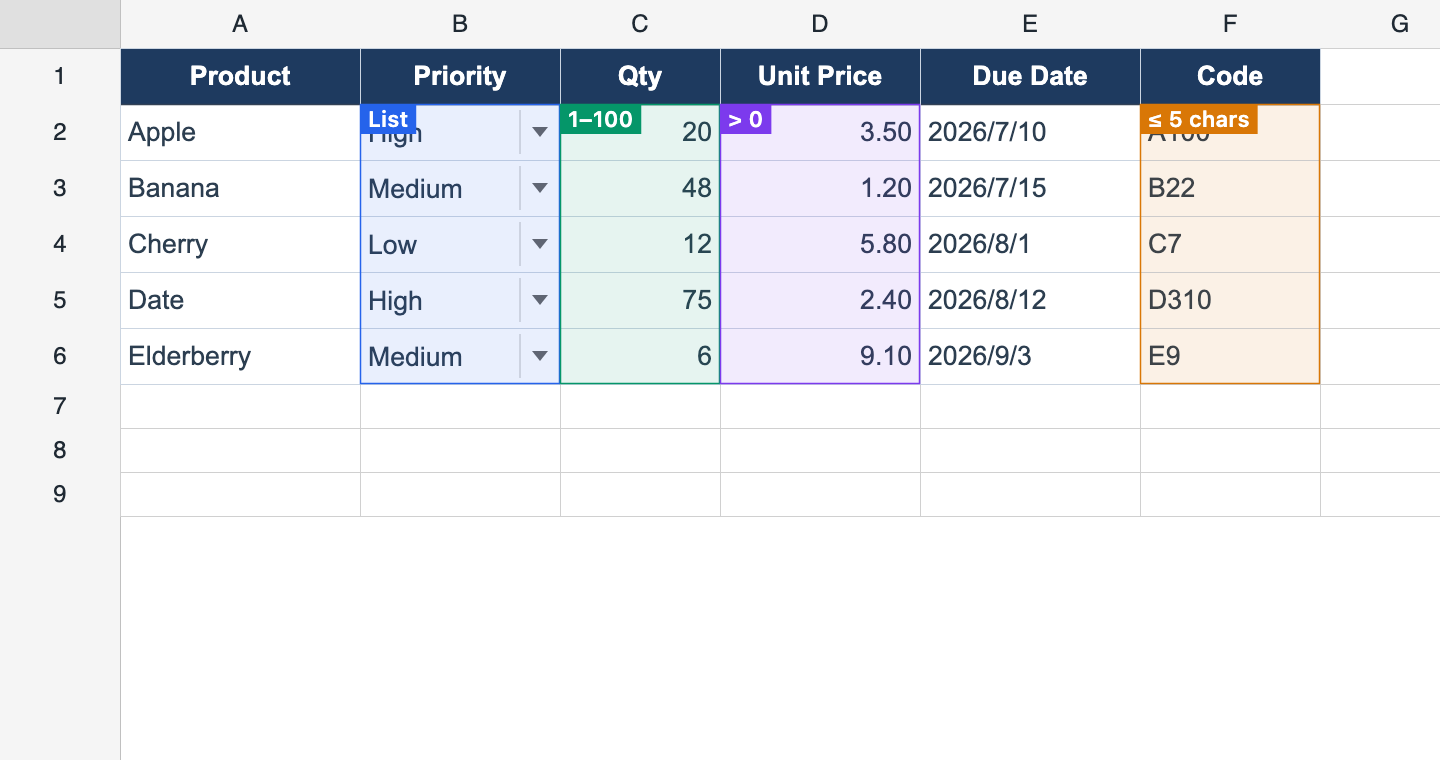
Data Validation
Excel-style input rules (入力規則): list dropdowns, whole/decimal/date/time and text-length bounds, and custom formulas — with stop / warning / information alerts. Pro-authored rules still enforce in Lite.
range.setValidation({ type: 'list', options: [...] }) 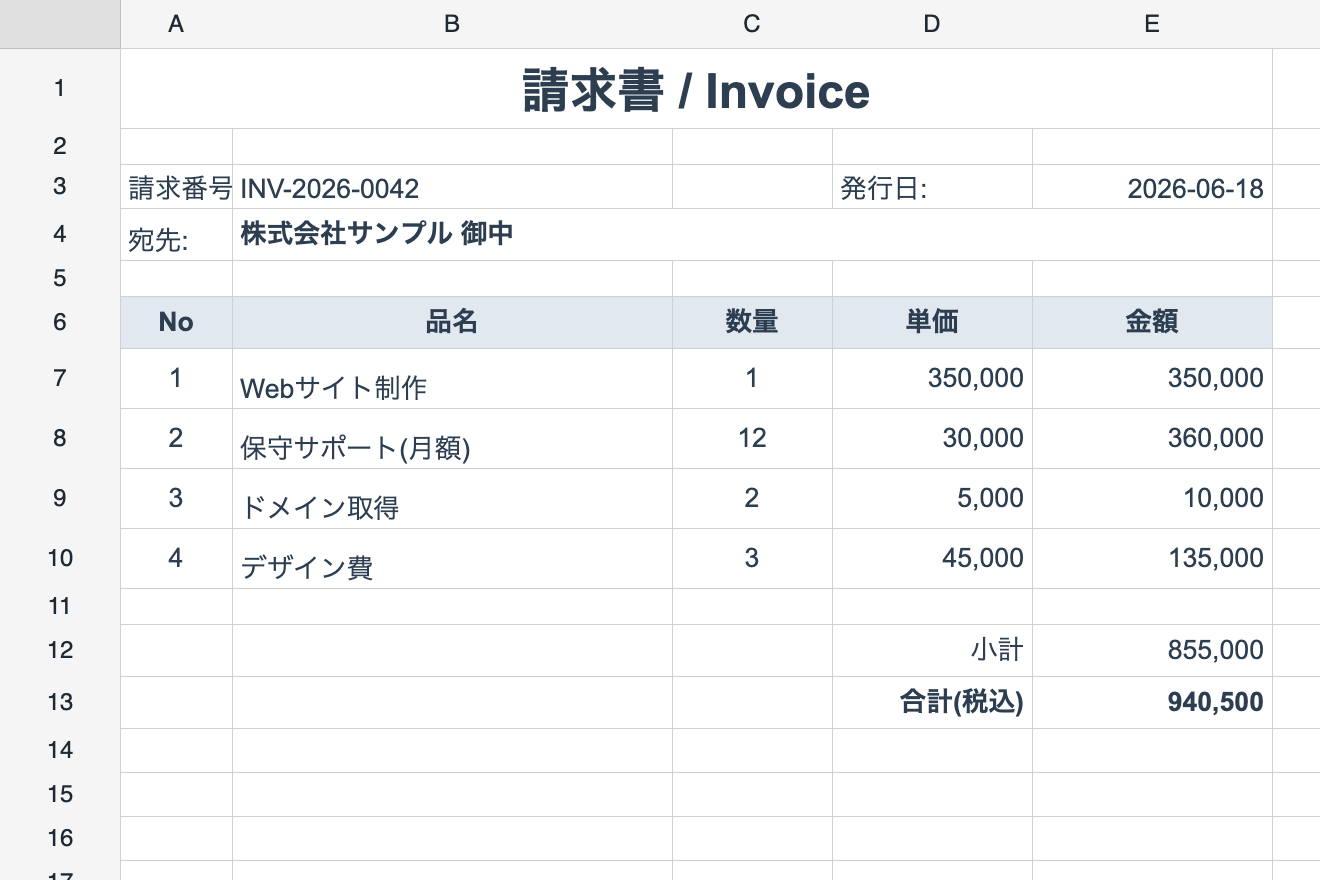
Report Binding
Template-driven detail repetition (テンプレート明細繰り返し): header / detail(×N) / footer sections materialize in place from bound data with {{token}} interpolation, per-row formula shift, footer aggregates, and report-driven page breaks.
worksheet.defineReportTemplate(spec); worksheet.bindReport(data) 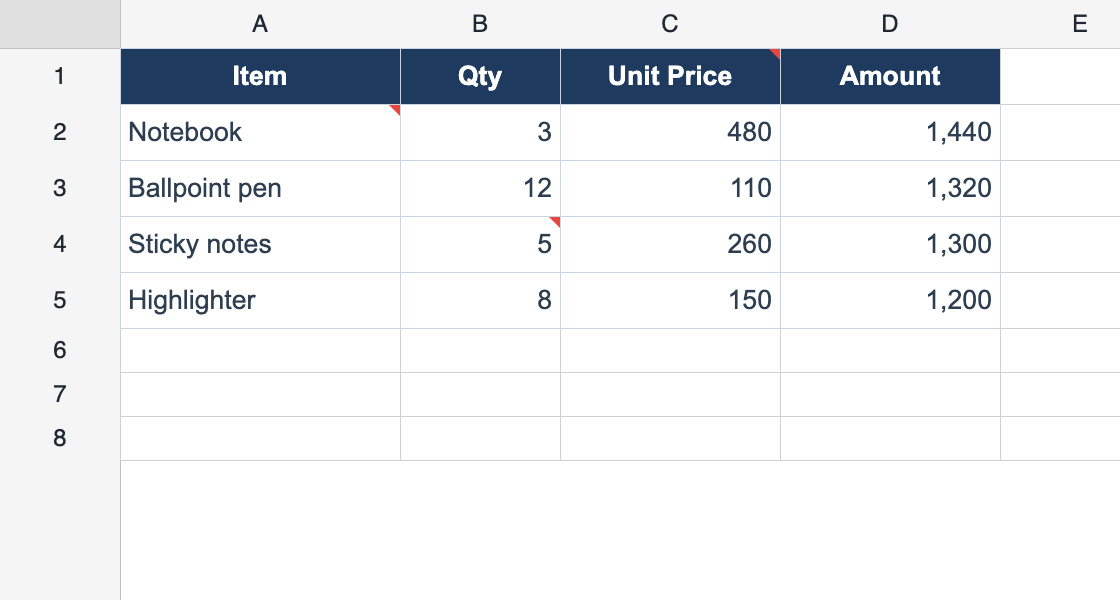
Cell Comments
Classic Excel comments / memos (メモ) — one per cell, shown with a red corner marker and a hover bubble. xlsx read, JSON round-trip.
worksheet.setComment(r, c, 'Check this value') Also included
Excel-style Ctrl+F / Ctrl+H with a built-in bar: match case, entire cell, regular expressions, and a sheet / selection / workbook scope. Every hit is highlighted; replace-all undoes in one step.
Drag the selection border to relocate a block of cells, or drag a selected row/column header to reorder whole lines. Cancellable before-events, merge-safe refusals, and one-step undo.
Ctrl+click (Cmd on macOS) adds a range to the selection instead of replacing it — on cells and on row/column headers alike. Delete, styling, auto-fit and copy all act on every range at once.
Sheet protection with per-cell locking — keep templates intact while users edit input cells.
Insert, drag, and resize floating images — logos on invoices, 印影 on forms, product photos in catalogs. Excel's three cell anchors, one Ctrl+Z per drag, and a real xl/media + xl/drawings round-trip, so a picture survives a save.
Links in an xlsx file open in a new tab on click — click and hold to select the cell instead — show their address on hover, and are kept on save. =HYPERLINK() works too. Only http / https / mailto / tel addresses are opened, and onHyperlinkClick lets you route or confirm a link yourself. Authoring links and =HYPERLINK() are Pro.
Data I/O
Move data in and out: Excel files, lossless JSON, clipboard, and printing.
XLSX Import
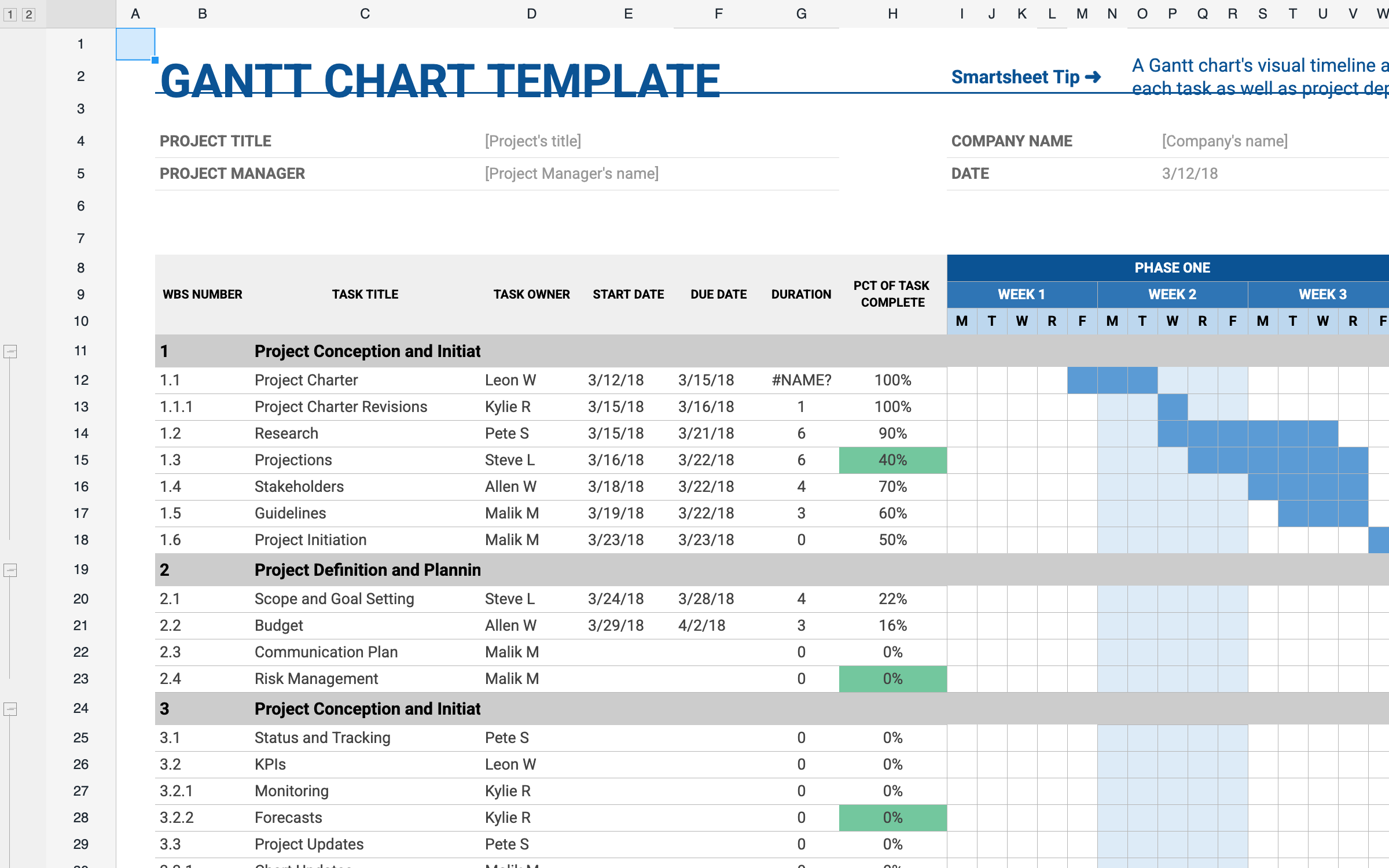
Load Excel files from a URL, File object, or ArrayBuffer — all sheets, styles, merges, borders, formulas, hyperlinks and each sheet's zoom. Chunked async loading for big files.
instance.loadFromUrl('/data/report.xlsx') 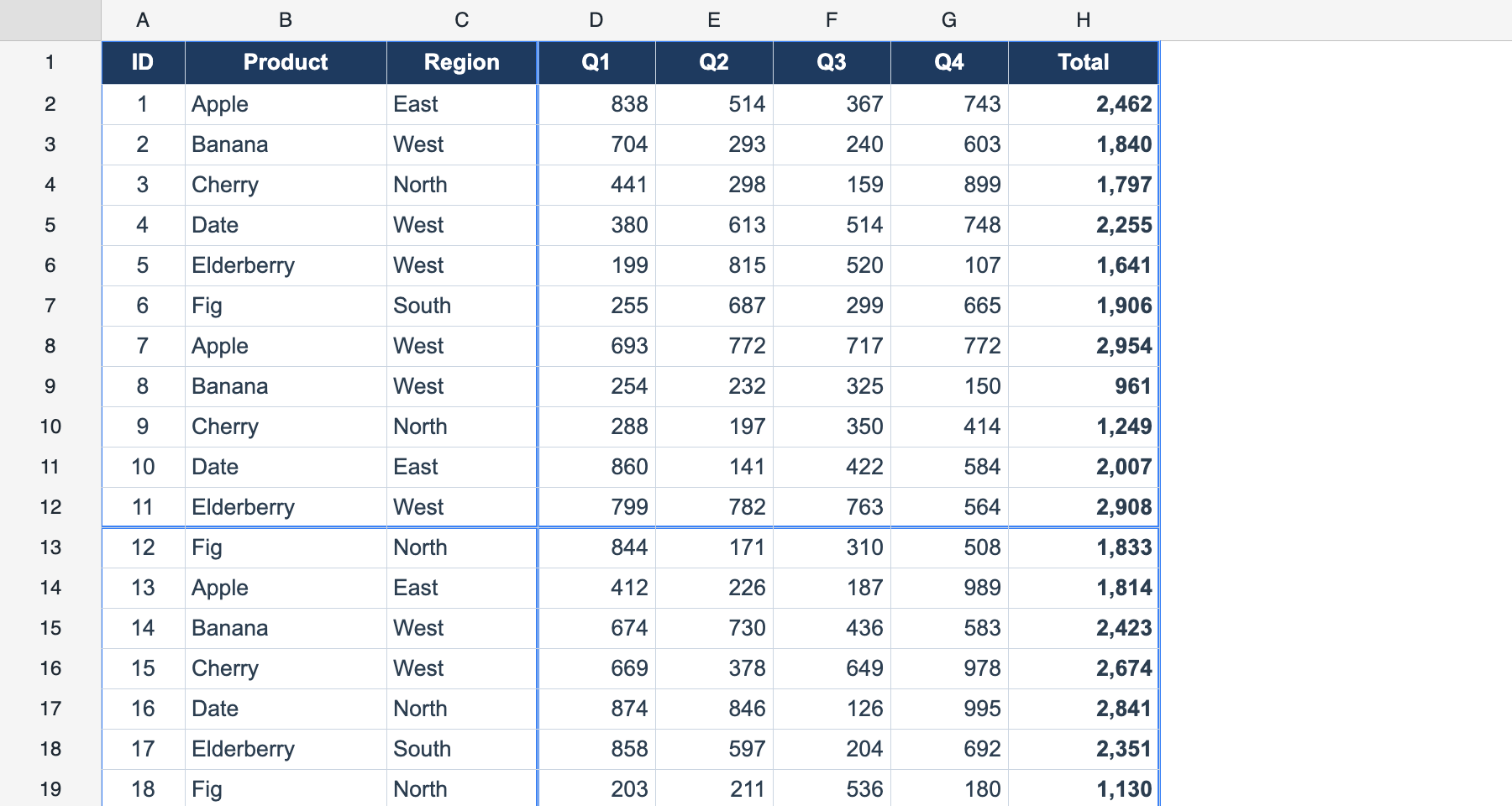
Page Layout & Printing
Excel-style page-break preview with draggable breaks, a print-settings model (paper size, orientation, margins, scale, page order), manual breaks, and a printable range. Round-trips via xlsx pageSetup and JSON.
worksheet.setPrintSettings({ paperSize: 'A4' }) Also included
Save the whole workbook as an .xlsx file — multi-sheet, styles, formulas, borders, and conditional formats round-trip to Excel.
Native lossless serialization — preserves cells, styles, number formats, merges, borders, freeze, conditional formats, outlines, filters, cell types, and protection.
Copy, cut, and paste with the OS clipboard in TSV and HTML formats — interoperable with Excel and Google Sheets.
Print a page number, date, sheet name or file name in the paper margins using Excel's own format codes (&P / &N / &D), with different odd/even and first-page bands. Drawn by PDF export and paged print HTML; round-trips via xlsx.
Excel's 「N ページに収める」: say how many pages wide or tall the sheet should come out and the print scale is worked out for you. Like Excel it only ever shrinks, and the page-break preview, PDF export and browser print all agree on the result.
PDF generation via our own in-house engine — paginates exactly like the on-screen page-break preview, with backgrounds, borders, images, and rich text. instance.exportPdf() / saveAsPdf().
Excel's "Print Entire Workbook": put every visible sheet — or the ones you name — into one PDF, each on its own paper size, orientation and page setup, with &P / &N page numbers running on across sheets.
Name a locale and PDF export embeds the matching CJK font for you — ja / zh-CN / zh-TW / ko are registered out of the box, and registerPdfFont adds your own from a URL, a loader, or bytes. A Japanese font covers only about a third of common simplified-Chinese business vocabulary, so this is what stops Chinese exports coming out as tofu.
Convert worksheets to styled HTML tables for browser printing, preserving merges and borders. For paginated output, see PDF Export and Page Layout.
UI Features
Polished editing UX out of the box: inline editor, undo/redo, shortcuts, and animation.
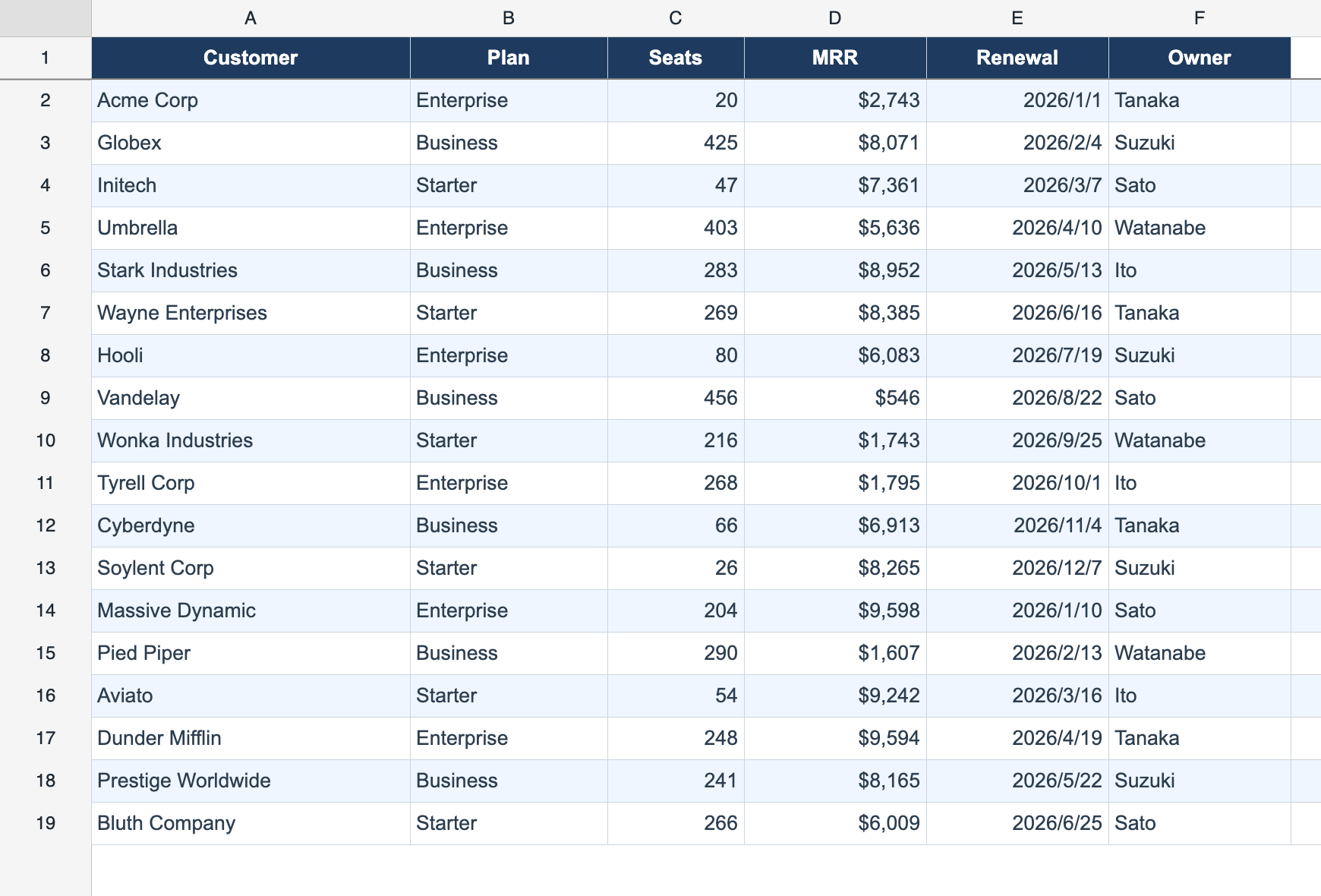
Alternating Row Colors
Built-in background striping for even/odd rows — readable tables without per-cell styling.
Also included
Scale each sheet's view from 10% to 400%, with Ctrl/Cmd + wheel or a trackpad pinch zooming around the pointer, like Excel. Only the view scales — row heights, column widths, printing and exports stay at 100% — and the zoom round-trips through xlsx.
Turn a protected sheet into a keyboard-only fill-in form: lock the layout, open the editor on a single click, draw placeholder hints in empty cells, and let Enter / Tab walk the input cells — list validation included.
Choose the font family and size used to draw the row numbers and column letters, so the headers match the body font instead of being stuck at 12px sans-serif. The header band widens to fit.
Inline WYSIWYG text editing via double-click, F2, or Enter — the editor mirrors the cell’s font, line height, and alignment.
Action-based undo and redo (30 steps by default, configurable via undoCapacity), isolated per sheet.
Ctrl+Z/Y, Ctrl+C/V/X, Tab, Enter, arrow-key navigation, and more.
A right-click event API for building custom context menus that match your application.
Toggle grid line visibility per sheet — useful for document-style layouts like invoices.
Contextual tooltips on hover — ideal for validation messages and inline help.
Smooth animation on cell value changes, with configurable duration and easing.
Edition Comparison
| Lite (Free) | Pro (Paid) | |
|---|---|---|
| Rows | Up to 100 rows | Unlimited |
| Columns | Up to 26 columns (A–Z) | Unlimited |
| Formulas | Arithmetic only | All 109 functions |
| Multi-Sheet Workbook | ✓ | ✓ |
| Cross-Sheet Formulas | ✓ | ✓ |
| Cell Styles | ✓ | ✓ |
| Number Formatting | ✓ | ✓ |
| Borders | ✓ | ✓ |
| Cell Merging | ✓ | ✓ |
| Auto-fill | ✓ | ✓ |
| Find & Replace | ✓ | ✓ |
| Range / Row / Column Move | ✓ | ✓ |
| Multi-Range Selection | ✓ | ✓ |
| Text Rotation & Vertical Text | ✓ | ✓ |
| Form Mode | ✓ | ✓ |
| Header Font | ✓ | ✓ |
| Zoom | ✓ | ✓ |
| Smart Formula Editor | ✓ | ✓ |
| Freeze Panes | — | ✓ |
| XLSX Import | ✓ | ✓ |
| XLSX Export | — | ✓ |
| ReoGrid JSON I/O | ✓ | ✓ |
| Cell Types | — | ✓ |
| Row/Column Insert & Delete | — | ✓ |
| Row/Column Show & Hide | — | ✓ |
| Sort & Filter | — | ✓ |
| Delay Load (1,000,000 rows) | — | ✓ |
| Grouping | — | ✓ |
| Conditional Formatting | — | ✓ |
| Cell Tooltip | — | ✓ |
| Animation | — | ✓ |
| Images | Import / export only | ✓ |
| Named Ranges | Read only | ✓ |
| Data Validation | Read only | ✓ |
| Pivot Tables | — | ✓ |
| Table Styles | Read only | ✓ |
| Report Binding | — | ✓ |
| Cell Comments | Read only | ✓ |
| Hyperlinks | Read & open (no authoring, no HYPERLINK()) | ✓ |
| Page Layout & Print Settings | — | ✓ |
| Page Header & Footer | — | ✓ |
| Fit to Pages | — | ✓ |
| PDF Export | — | ✓ |
| Whole-Workbook PDF | — | ✓ |
| PDF Fonts by Locale | — | ✓ |
| Browser Printing | — | ✓ |
Framework Support
| Framework | Package | Component |
|---|---|---|
| React ≥17 | @reogrid/lite/react or @reogrid/pro/react | <Reogrid> (forwardRef) |
| Vue ≥3 | @reogrid/lite/vue or @reogrid/pro/vue | <Reogrid> (Composition API) |
| Vanilla JS/TS | @reogrid/lite or @reogrid/pro | createReogrid() |
Try every Pro feature free for 30 days
All paid plans come with a 30-day free trial — license key issued instantly, no credit card required.