
Feature-Rich Excel-like Spreadsheet Library for the Web
Formula engine, xlsx I/O, PDF export, Canvas rendering, and React/Vue wrappers — all in one dependency-free package (~190KB min+gzip). Built in Japan with 10+ years of .NET spreadsheet expertise.
Powerful features, ready to use
Everything you need to build production-grade spreadsheet UIs — from basic grids to complex data applications.
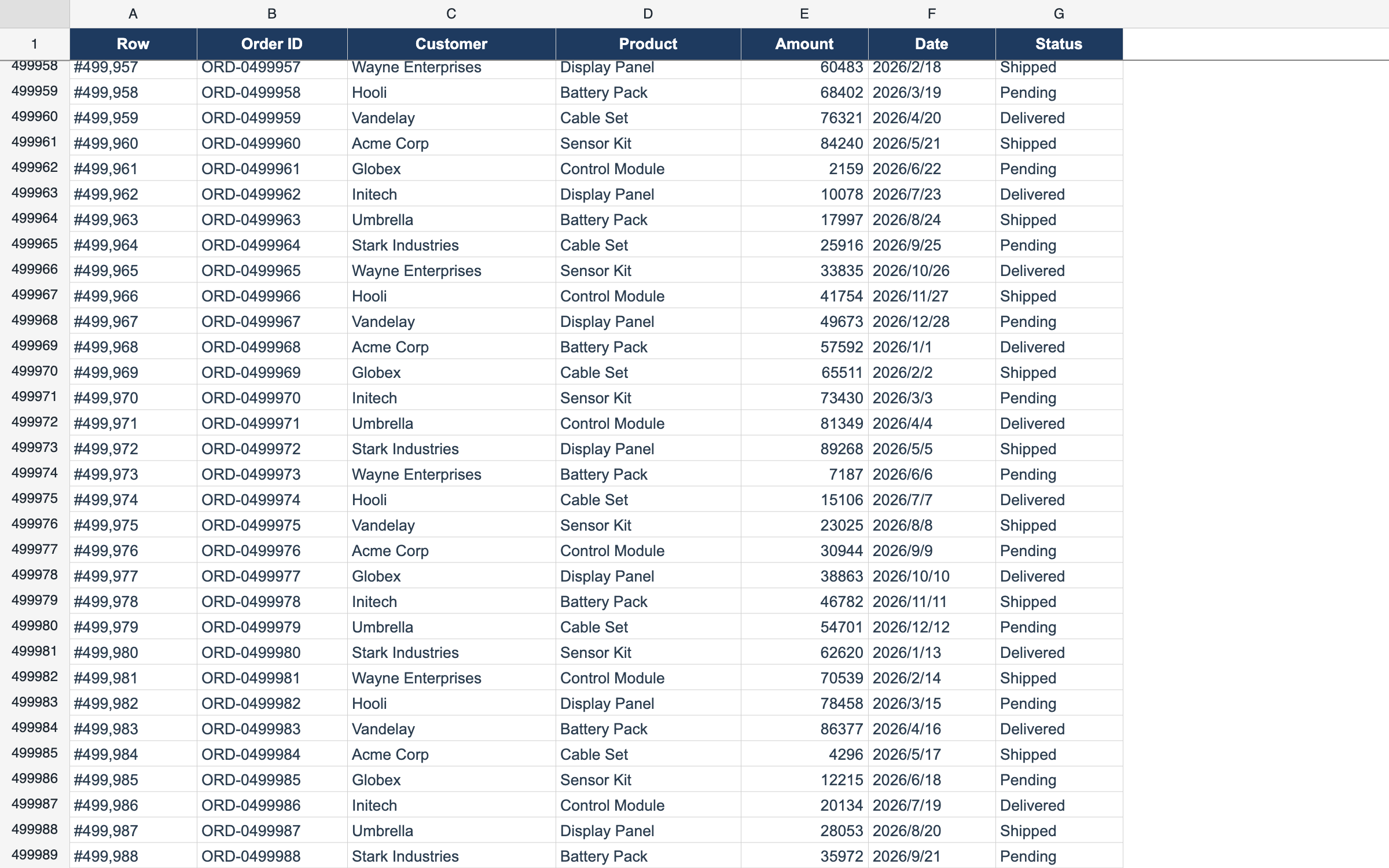
Delay Load — 1,000,000 Rows
ProDisplay 1,000,000 rows by fetching only what’s on screen.
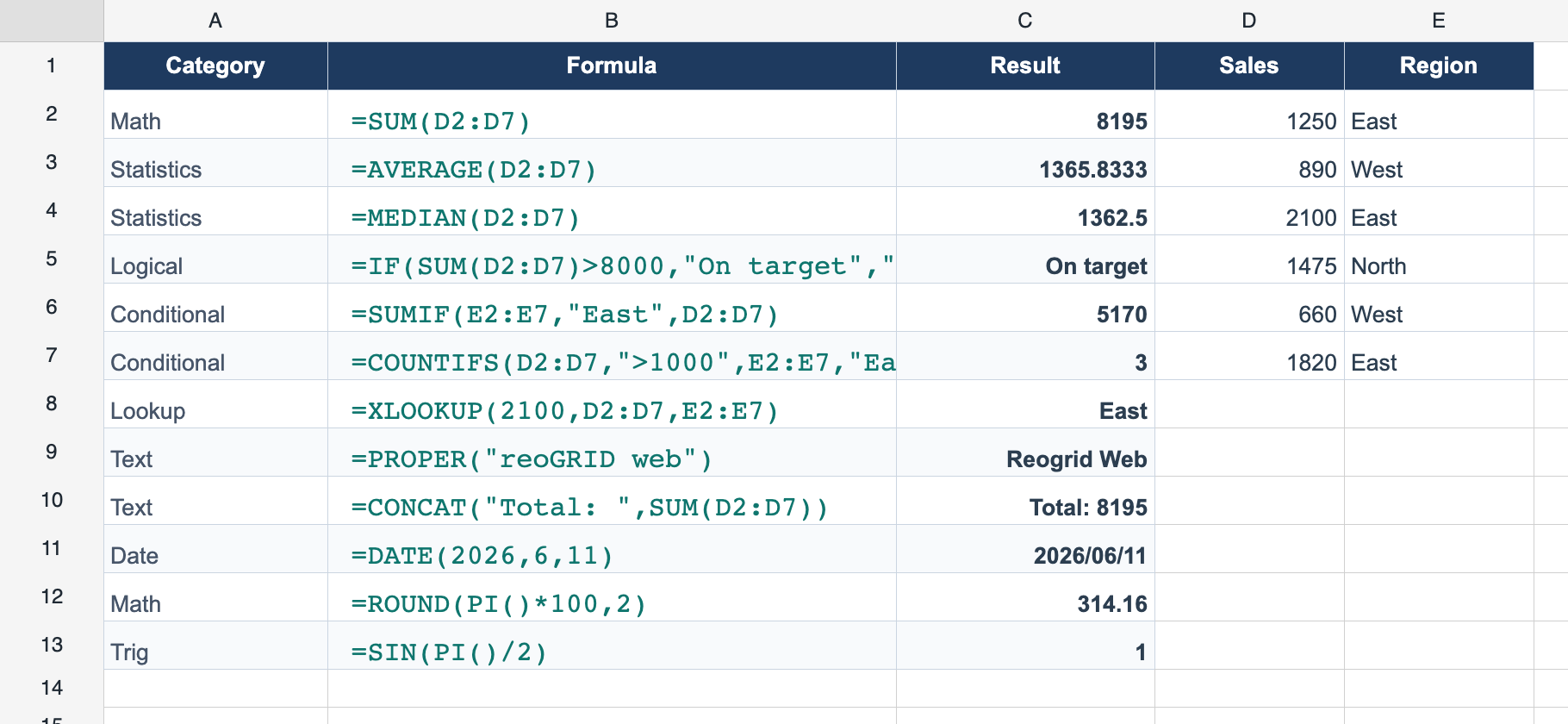
109 Built-in Functions
ProVLOOKUP, SUMIFS, XLOOKUP and 100+ Excel-compatible functions.
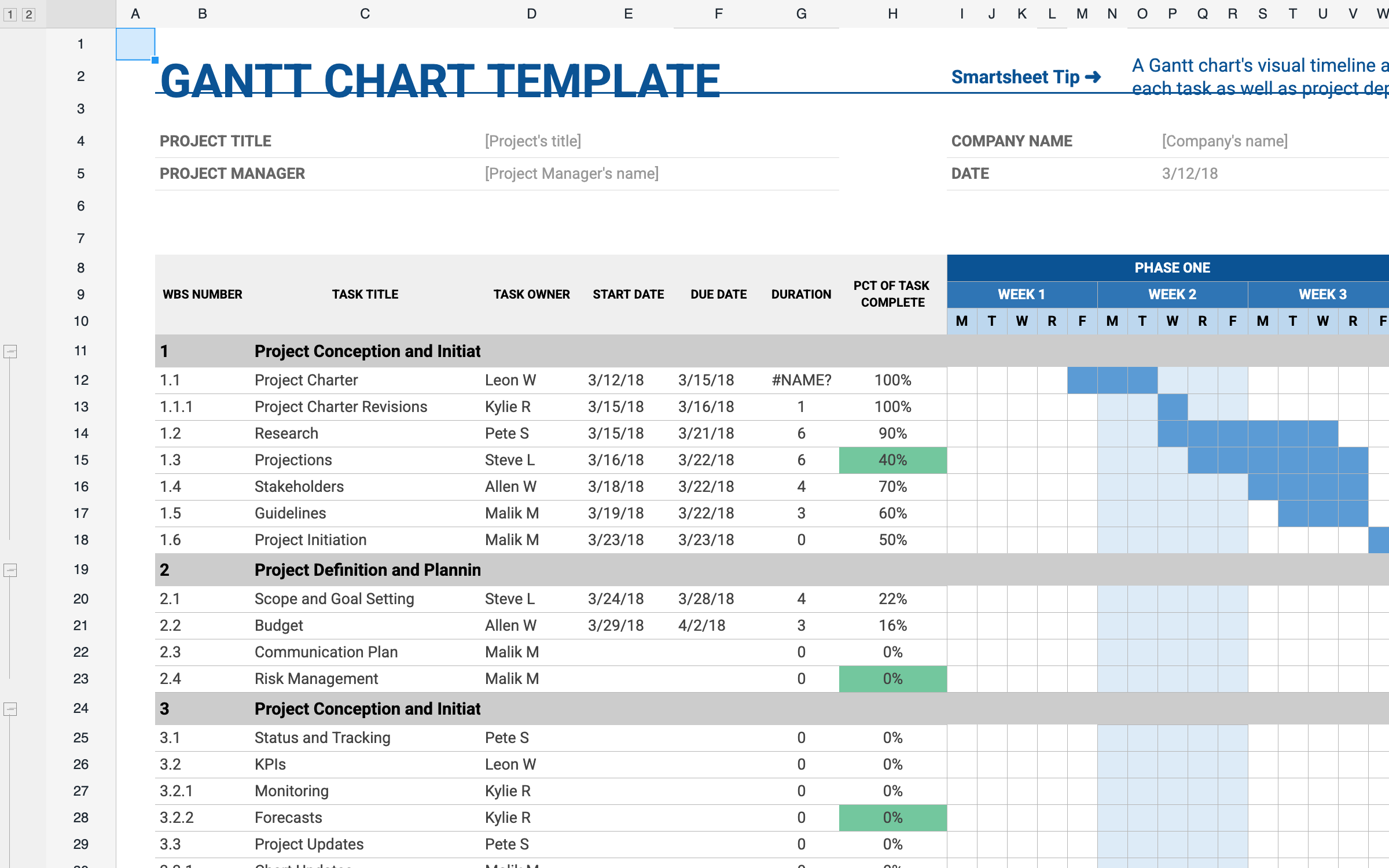
XLSX Import
LiteOpen real .xlsx files in the browser — styles, merges, and formulas intact.
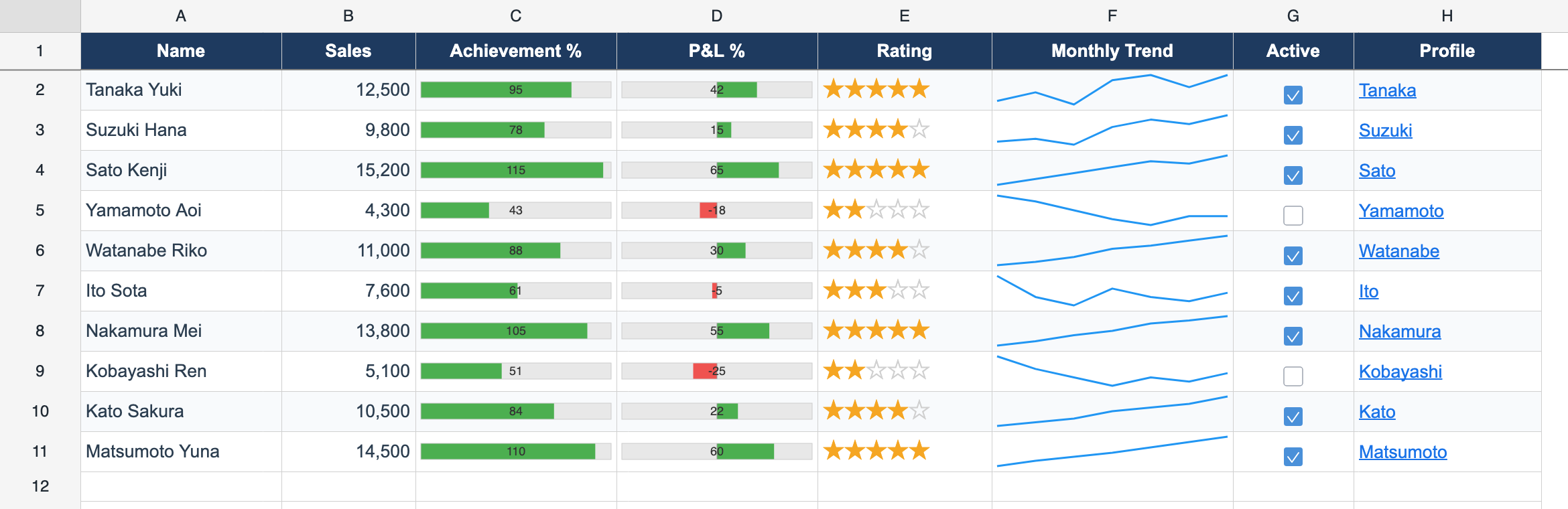
Cell Types
ProCheckboxes, dropdowns, progress bars, and sparklines inside cells.
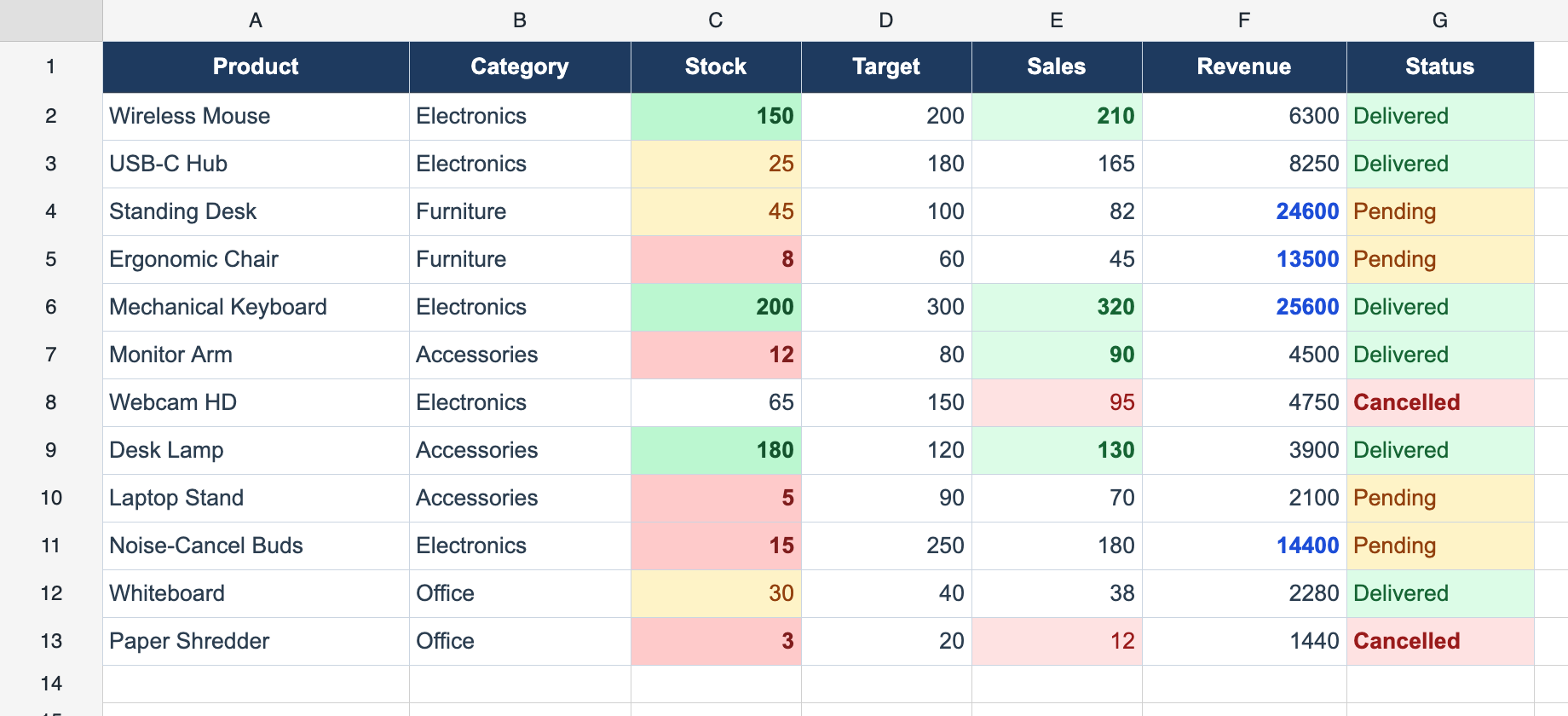
Conditional Formatting
ProRestyle cells live with value, expression, and text rules.
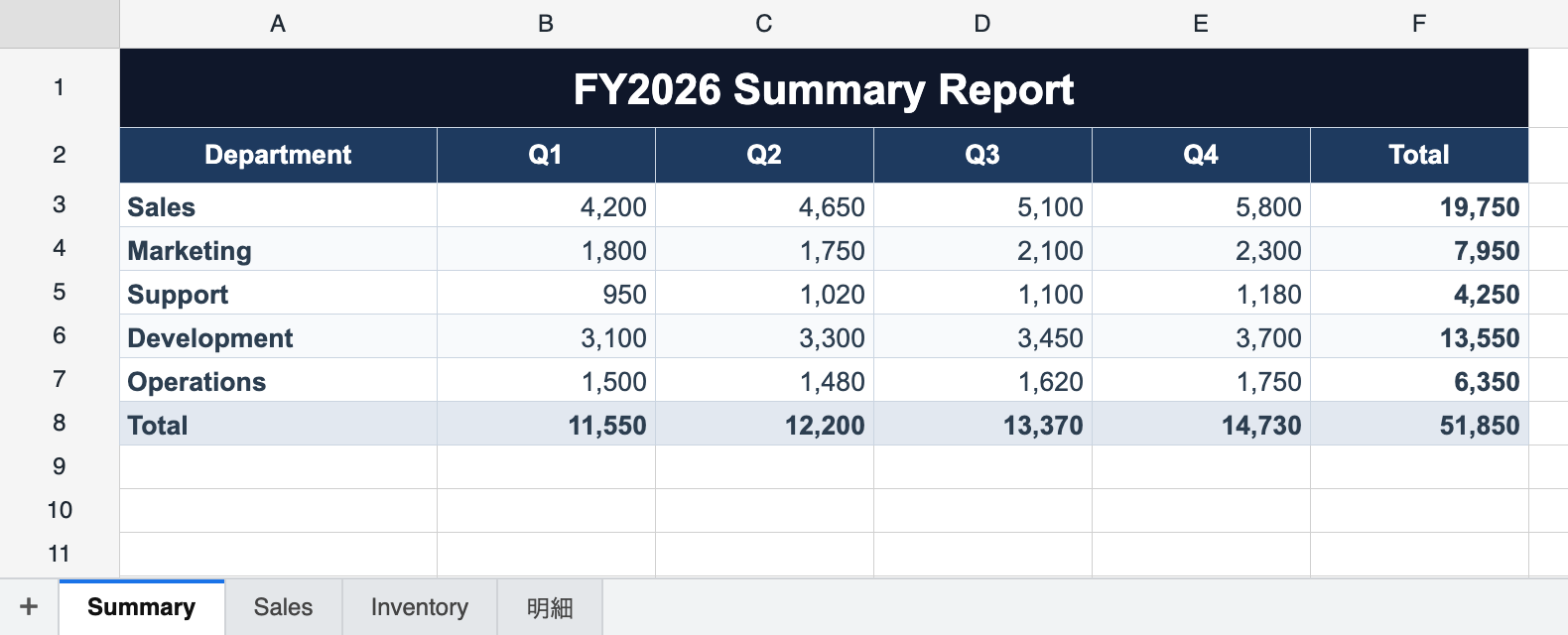
Multi-Sheet Workbook
LiteMultiple sheets with a built-in tab bar and cross-sheet formulas.
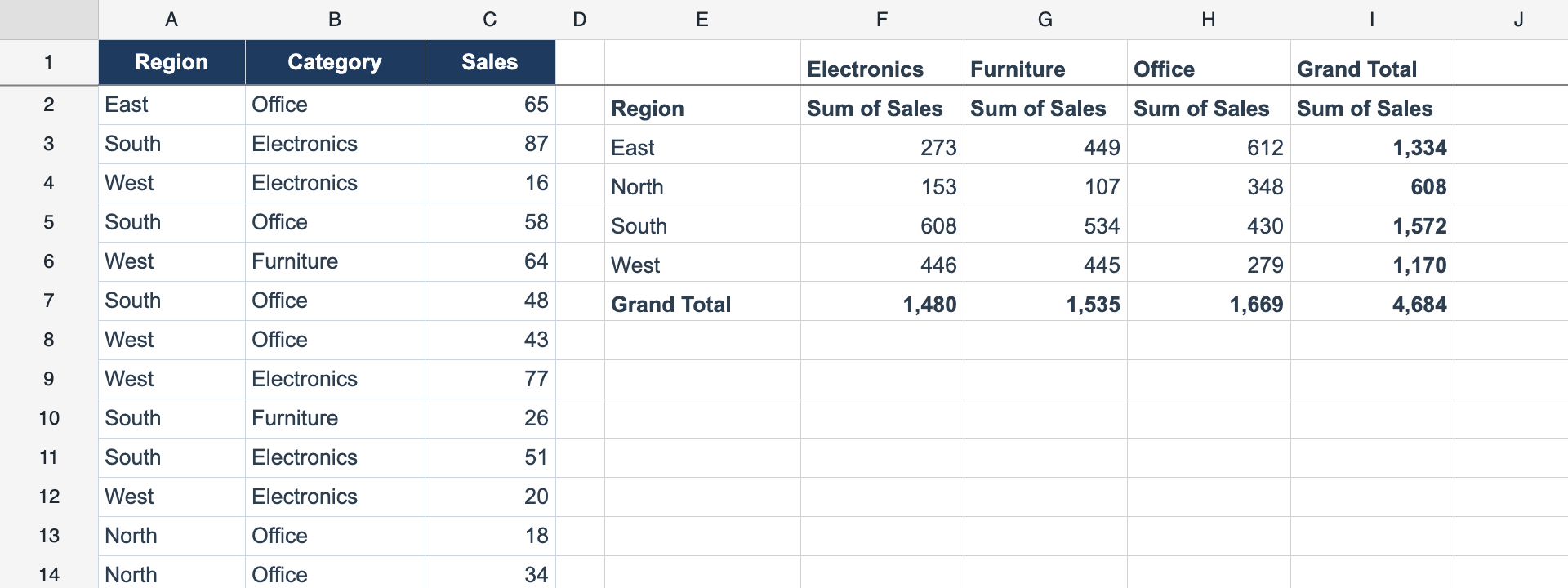
Pivot Tables
ProLive pivot tables computed from a source range — new in 1.4.
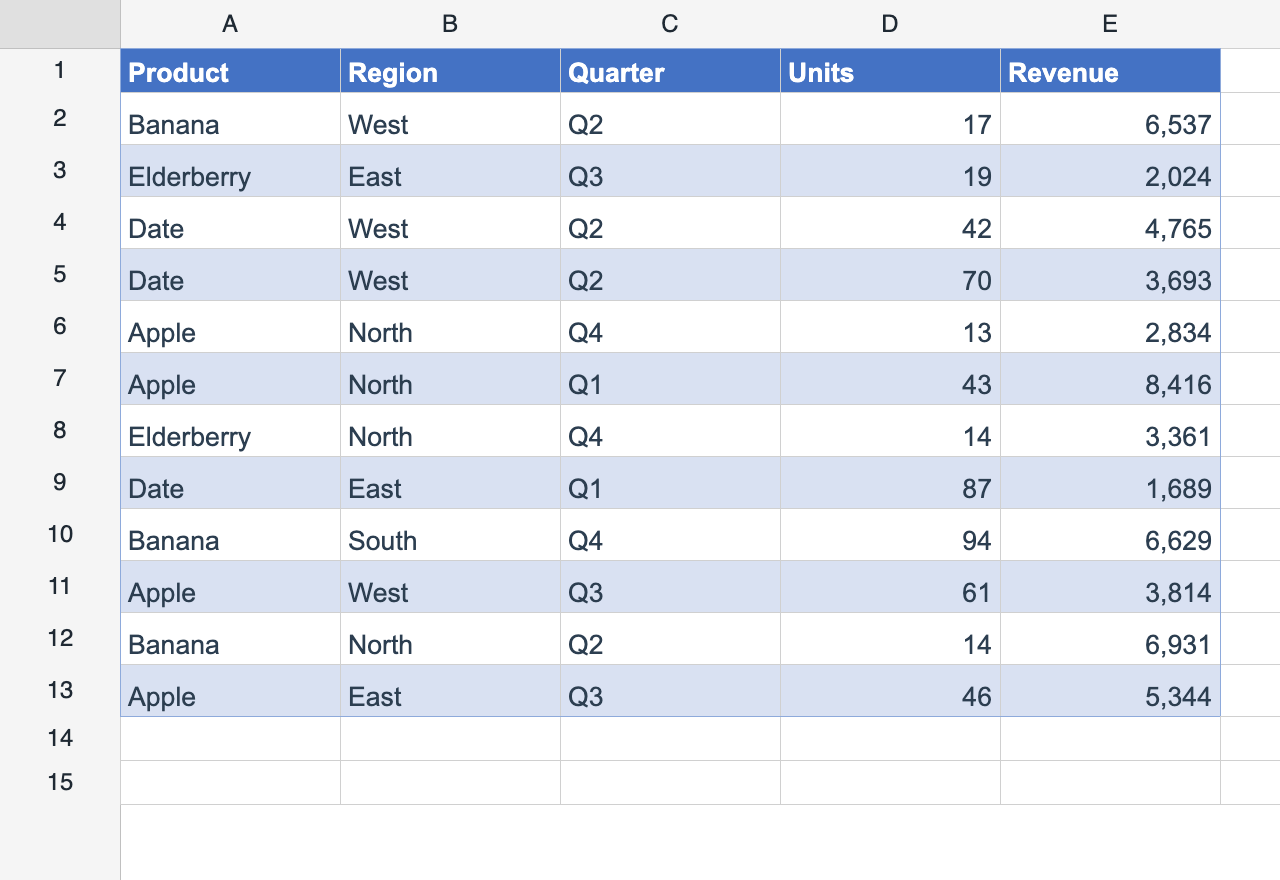
Table Styles
ProExcel “Format as Table” banding that re-flows on insert & delete.
Live Examples
Try each demo live in the browser — click any card to open.
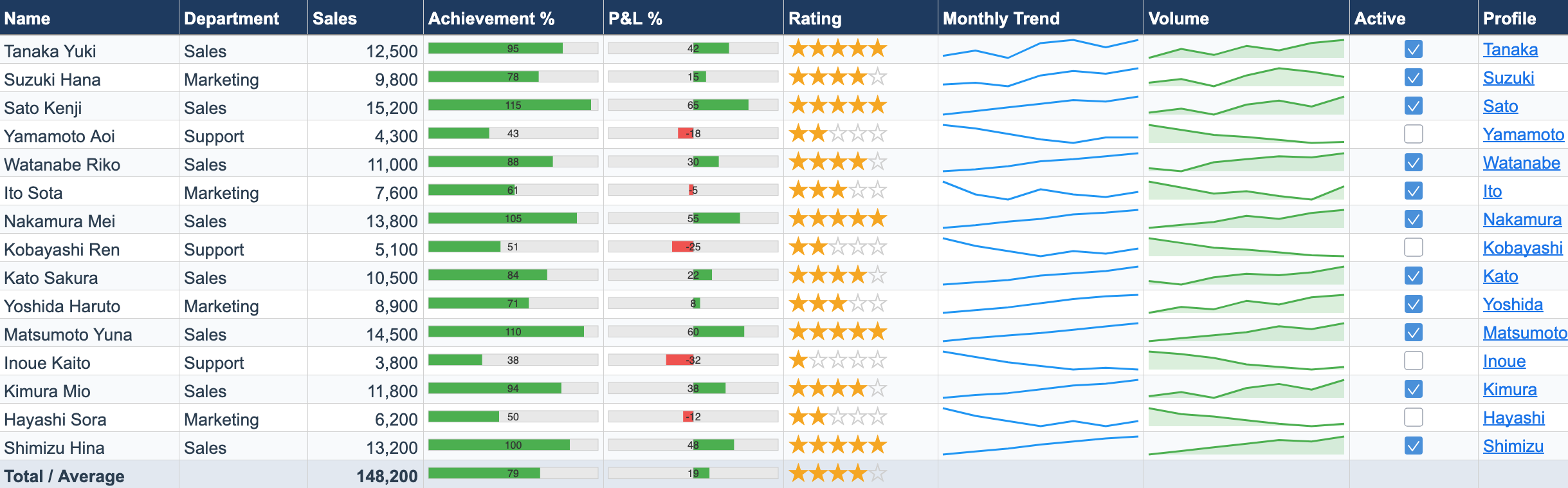
Cell Types Dashboard
PROProgress bars, star ratings, sparkline charts, checkboxes, and hyperlinks — all rendered inside spreadsheet cells.
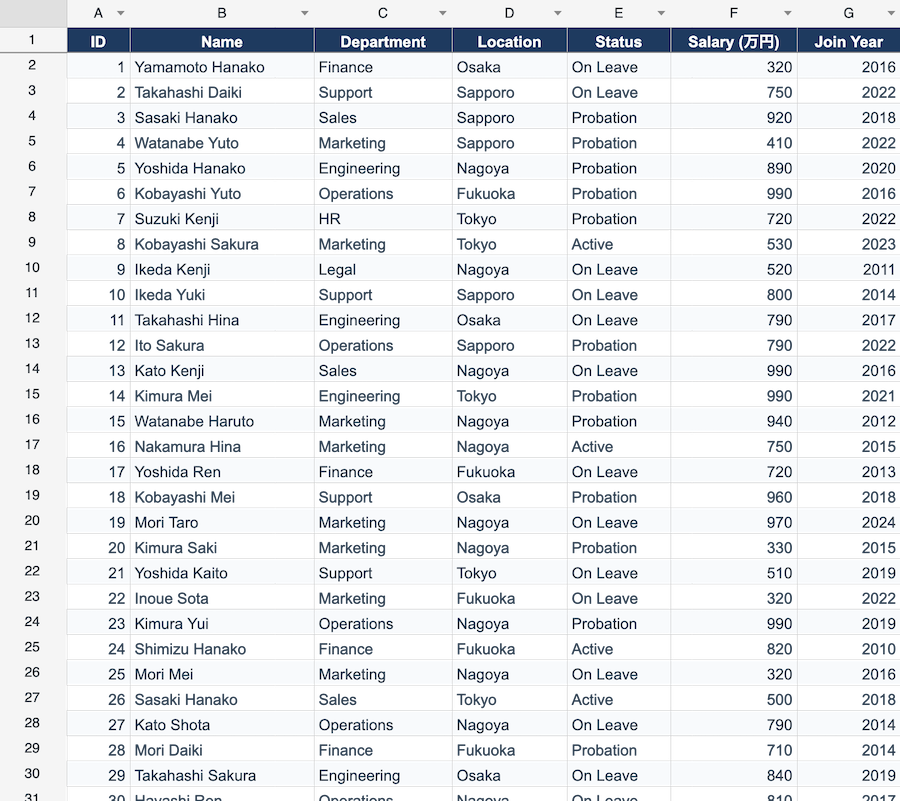
Data Filter & Sort
PROClick column header dropdowns to filter and sort rows. Switch between 300, 1K, and 10K rows to test performance.
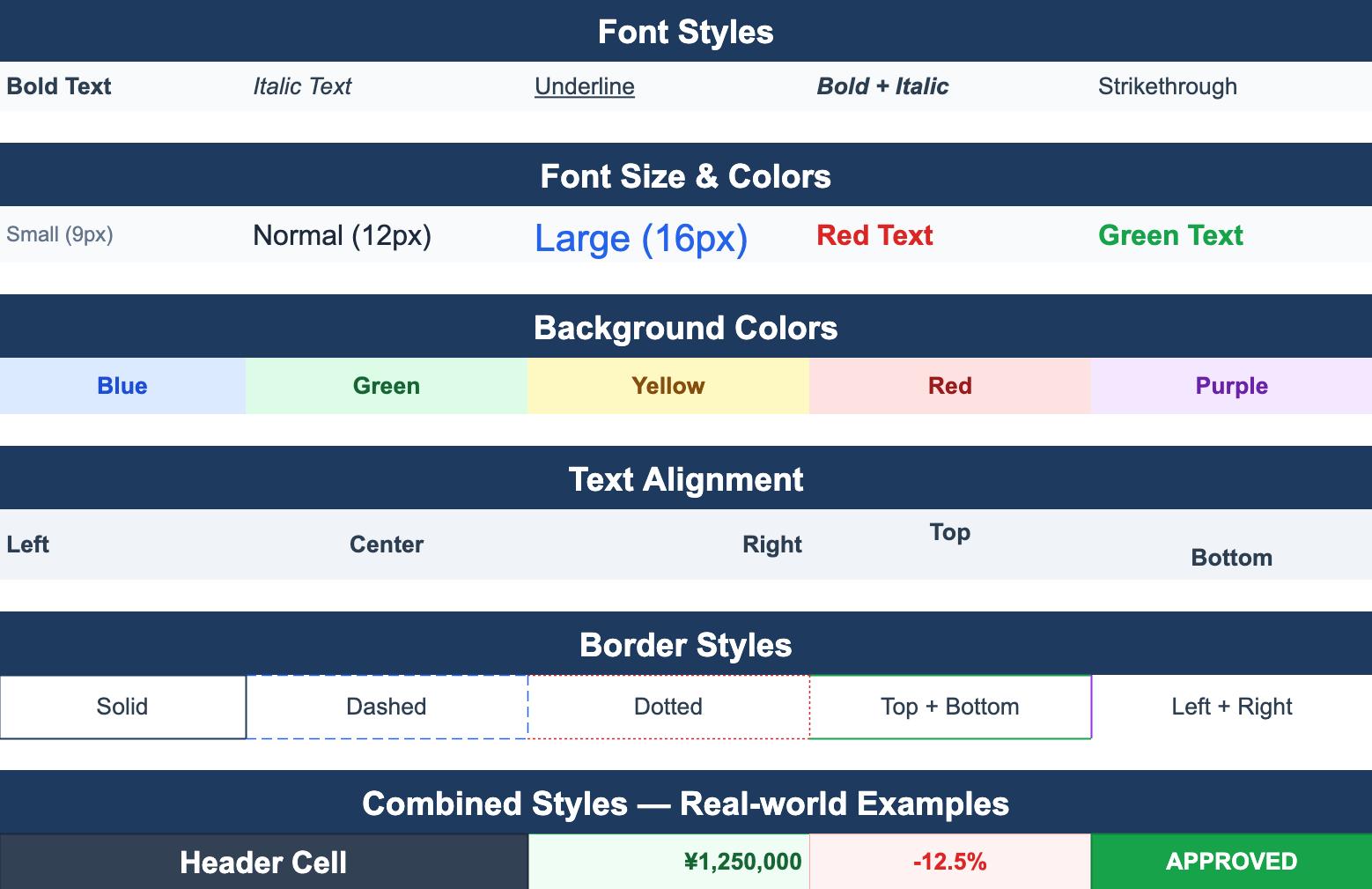
Cell Styles
Font styles, colors, backgrounds, text alignment, and border options — a showcase of the Cell Style API.
From the blog
Guides on building Excel-like spreadsheets on the web — performance, formulas, and xlsx I/O.
ReoGrid Web v1.7 — zoom, hyperlinks that open, and a whole workbook in one PDF
ReoGrid Web v1.7 adds Excel-style zoom — 10% to 400% per sheet, Ctrl/Cmd+wheel or a trackpad pinch — and hyperlinks that are read from xlsx, open on click and are written back. A whole workbook now goes into one PDF, forms print whole, an exported xlsx opens in Excel looking like the grid, and iPad and iPhone can type and download properly. No breaking API changes.
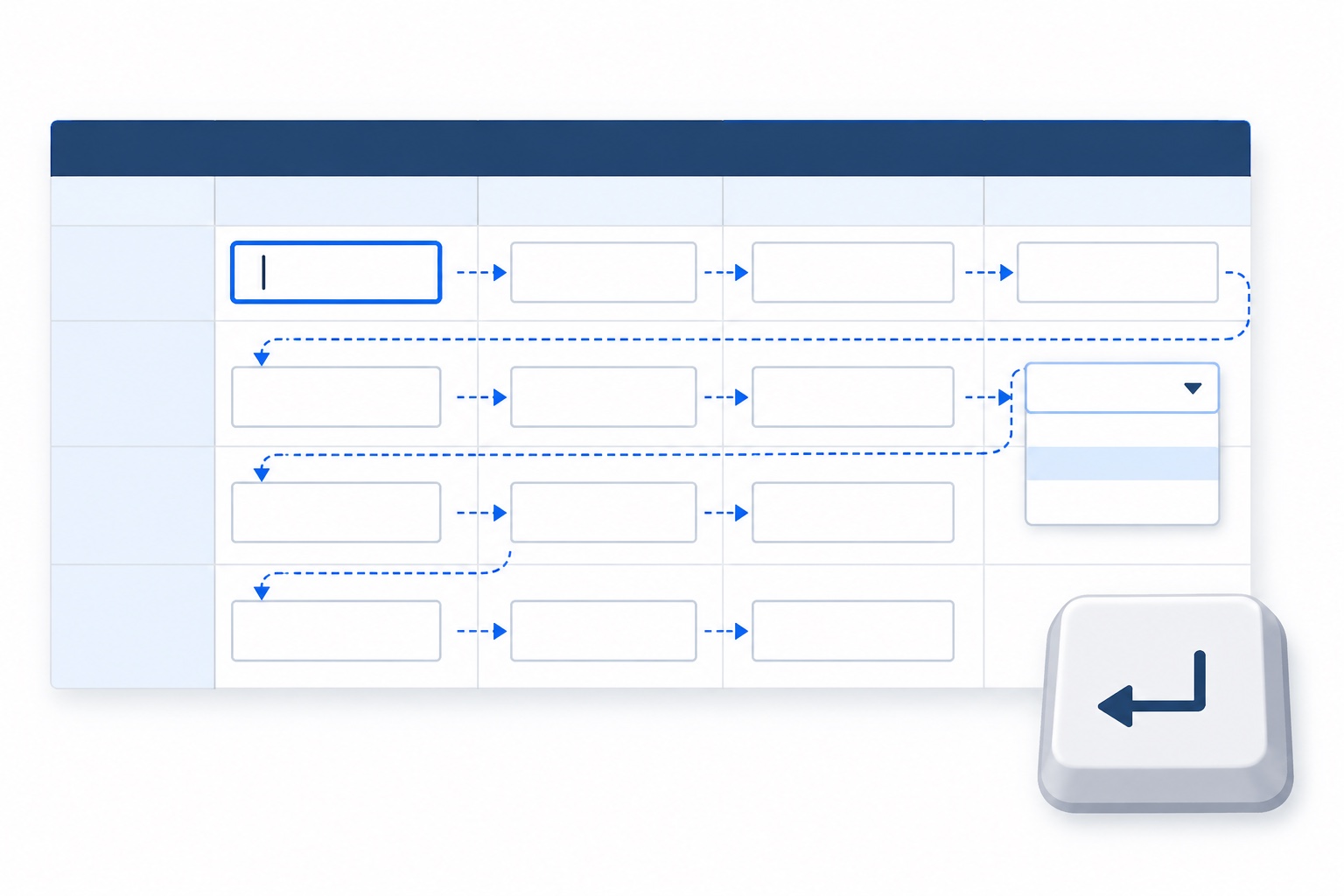
A Spreadsheet Form You Fill In From the Keyboard — Form Mode in ReoGrid Web
Business apps often use a spreadsheet as a form: a fixed layout, a few input boxes, everything else protected. Form mode makes that shape behave like one — Enter and Tab walk the fields, one click starts typing, placeholders hint at the format, and dropdowns open from the keyboard. A full expense-claim example, a custom tab order, and reading the values back out.

ReoGrid Web v1.6 — images that survive a save, multi-range selection, 縦書き, and form mode
ReoGrid Web v1.6 makes floating images editable and, at last, persistent: insert, drag and resize them, and they round-trip through xlsx. Plus Ctrl-click multi-range selection, Japanese vertical writing and text rotation, a form mode that fills a protected sheet from the keyboard, Excel's fit-to-N-pages, and the end of hairline PDFs. No breaking API changes.
Get started in minutes
Free Lite edition. Pro and Enterprise add advanced features and license keys.
import { Reogrid } from '@reogrid/lite/react';

export default function App() {
  return (
    <Reogrid
      style={{ width: '100%', height: '400px' }}
    />
  );
}Lite, Pro & Enterprise
Start free. Upgrade when you need more.
- 100 rows x 26 columns limit
- Unlimited domains
- Core spreadsheet features
- Basic formula engine
- xlsx import only
- Merged cells, borders & number formats
- Community support
Buy once — includes 1 year of updates & support. Renew at $199/yr to stay current (optional).
- Up to 3 domains
- Full spreadsheet features
- Formula engine (109 functions)
- xlsx import & export
- Full cell type support
- Online license key authentication
- 1 year of updates & technical support
Buy once — includes 1 year of updates & support. Renew at $366/yr to stay current (optional).
- Up to 30 domains (unlimited option available)
- Full spreadsheet features
- Formula engine (109 functions)
- xlsx import & export
- Full cell type support
- Offline license file authentication
- 1 year of updates & technical support
All paid plans come with a 30-day free trial — license key issued instantly, no credit card required. Start Free Trial →
Also need a .NET spreadsheet component?
ReoGrid is also available as a powerful WinForms/WPF component for .NET developers.