
ReoGrid Web is a JavaScript/TypeScript spreadsheet library that puts an Excel-grade editing experience — formula engine, xlsx I/O, canvas renderer — into a single dependency-free package, with first-class React and Vue wrappers and a free Lite tier on npm.
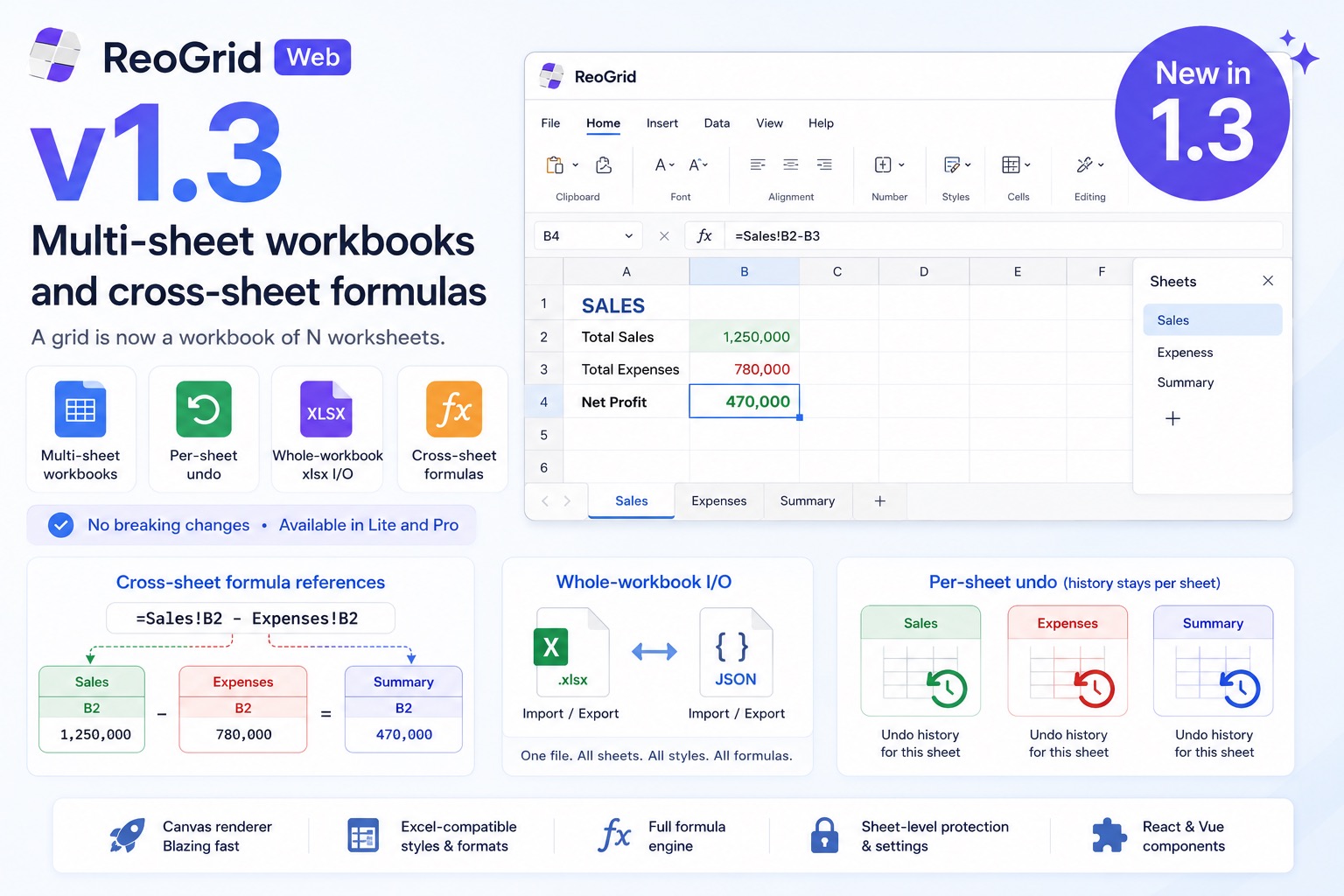
v1.3 is the headline structural release since launch: a grid is now a workbook of N worksheets. There is a core-provided sheet tab bar, each sheet keeps its own data, selection, frozen panes, and undo history, the whole workbook reads and writes a single .xlsx, and — the part that makes multiple sheets actually useful — formulas can reference cells on other sheets with =Sheet1!A1.
It is additive: there are no breaking public-API changes, and multi-sheet is available in both Lite and Pro.
A grid is a workbook now
Every instance exposes a workbook coordinator. The first sheet is created for you; add more with one call.
import { createReogrid } from '@reogrid/lite';

const grid = createReogrid({ workspace: '#app', initialSheetName: 'Sales' });

const expenses = grid.workbook.addSheet('Expenses').worksheet;
const summary  = grid.workbook.addSheet('Summary').worksheet;

grid.worksheet.cell('A1').setValue('Q1'); // grid.worksheet is always the active sheet
The tab bar at the bottom supports add, rename, drag-to-reorder, hide/unhide, and tab colors — and the same operations are available programmatically:
const wb = grid.workbook;
wb.renameSheet(0, 'FY26 Sales');
wb.moveSheet(2, 0);
wb.setSheetTabColor(0, '#2563eb');
wb.setActiveSheet(1);
Each sheet has its own undo history — Cmd/Ctrl+Z never reaches across sheets. grid.worksheet and grid.actionManager are now getters that follow the active sheet, so existing single-sheet code keeps working unchanged.
One visible change for single-sheet embeds: the grid now shows a ~28px sheet tab bar by default. Pass
createReogrid({ showSheetTabs: false })to hide it.
Cross-sheet formula references
This is what makes a workbook more than a stack of grids. A formula on one sheet can read cells on another:
summary.cell('B2').value = "='Tokyo'!E6";        // single cell on another sheet
summary.cell('B3').value = '=SUM(Osaka!B2:B5)';  // aggregate a cross-sheet range
summary.cell('B4').value = '=VLOOKUP(A4, Master!A1:C100, 3)';
summary.cell('B5').value = '=シート1!A1';        // non-ASCII names need no quotes
References resolve case-insensitively, and the lifecycle is Excel-compatible:
- Renaming a sheet rewrites every referencing formula on every sheet.
- Deleting a sheet turns its references into
#REF!. - Inserting or deleting rows/columns on one sheet shifts other sheets’ references into it.
- Cross-sheet reference cycles are detected and reported as
#CYCLE!.
The aggregates and the whole LOOKUP family work over cross-sheet ranges, so a Summary sheet can be built entirely from =SUM(Region!...) lines and stay live as you edit the underlying sheets.
Whole-workbook I/O
The I/O methods on the instance now operate on all sheets at once.
// Export the whole workbook to one .xlsx
grid.saveAsXlsx({ filename: 'report.xlsx' });

// Load every sheet from a File / URL / ArrayBuffer
await grid.loadFromFile(file);
await grid.loadFromUrl('/data/book.xlsx');

// JSON serialization of the whole workbook
const doc = grid.toJson();
grid.loadJson(doc);
Workbook view state round-trips through xlsx: the active sheet (<workbookView activeTab>), per-sheet hidden state (<sheet state="hidden">), and tab colors (<sheetPr><tabColor>) are written on export and restored on load. Multi-sheet xlsx import also got faster — the file is parsed once and reused for every sheet, instead of re-parsing per sheet.
Subscribe once, follow the active sheet
Previously, reacting to selection or value changes meant re-binding listeners whenever the active sheet changed. v1.3 adds instance-level events that forward the active sheet’s events and re-point automatically on a switch:
grid.onSelectionChange((range) => updateInspector(range));
grid.onCellValueChange(({ row, column, value }) => autosave(row, column, value));
Available on the instance: onSelectionChange, onCellValueChange, onBulkCellsChange, onScrollChange, onViewportSizeChange, onStructureChange, onContextMenu.
The React and Vue wrappers expose the workbook through the instance and add sheet events:
// React
<Reogrid
  onReady={(grid) => grid.workbook.addSheet('Data')}
  onActiveSheetChange={(index) => console.log('active', index)}
  onSheetsChange={() => console.log('sheets changed')}
/>
The Vue wrapper emits active-sheet-change and sheets-change alongside the existing events.
Try it
The Multi-Sheet Workbook demo is the fastest way to feel it: three branch sheets (Tokyo, Osaka, Nagoya) and a Summary sheet built entirely from cross-sheet formulas. Edit any number on a branch and switch back to Summary — the totals recalculate across sheets.
Lite is on npm, no license key required:
npm install @reogrid/litePro adds the 109-function formula library, xlsx export, full cell types, and licensed-domain authentication. See the release notes for the complete v1.3 changelog, the multi-sheet documentation for the full API, or the pricing matrix for the tier breakdown.